Recording/Playback
23
GB
Recording/Playback
Recording
In the default setting, movies and photos are recorded on the internal memory.
Tips
To change the recording media, see page 20.
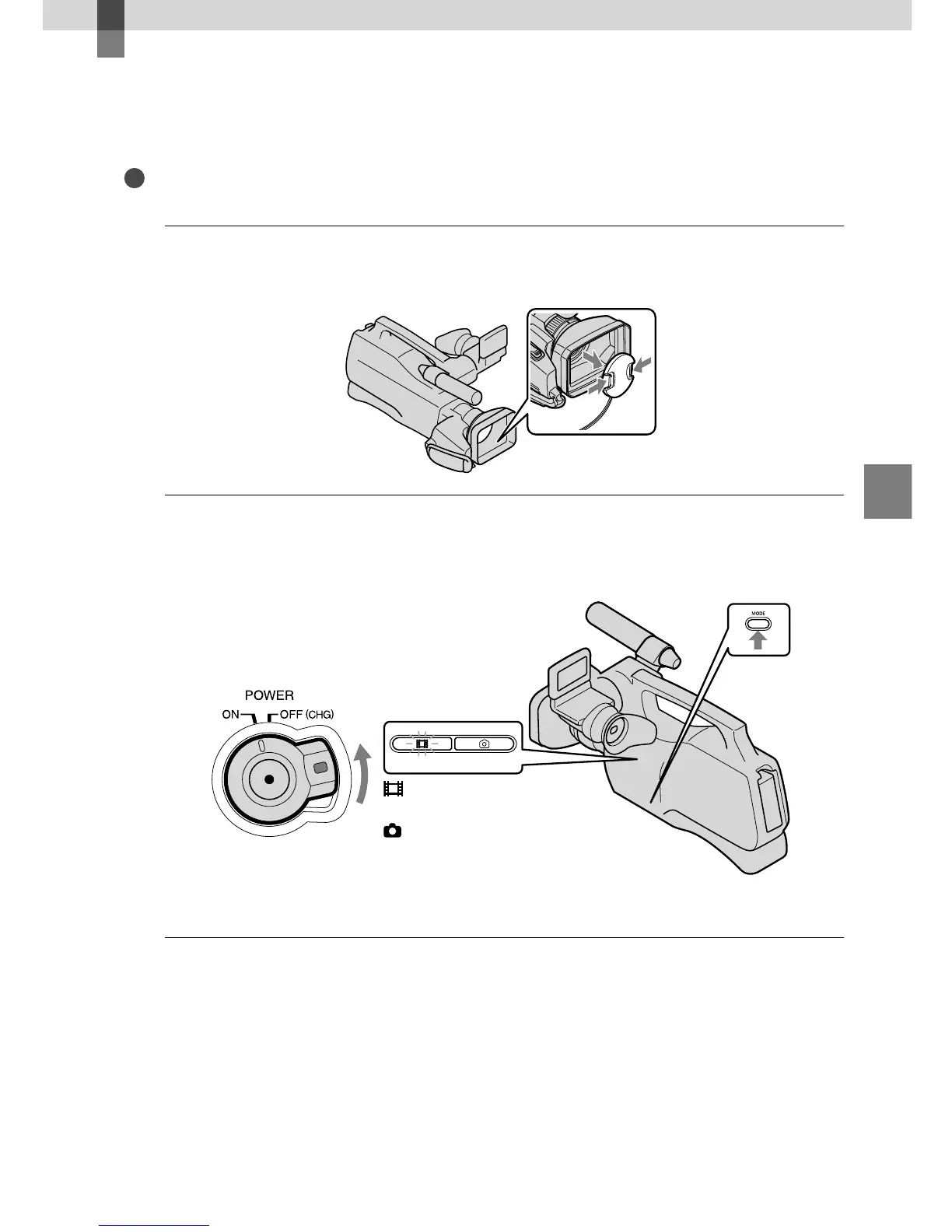
1
Remove the lens cap by pressing both knobs on its sides.
2
Slide the POWER switch to ON while pressing the green button.
You can switch recording modes by pressing MODE. Press MODE to light up the desired recording
mode lamp.
MODE button
(Movie): When recording
a movie
(Photo): When recording
a photo









 To Next Page