24
GB
Recording movies
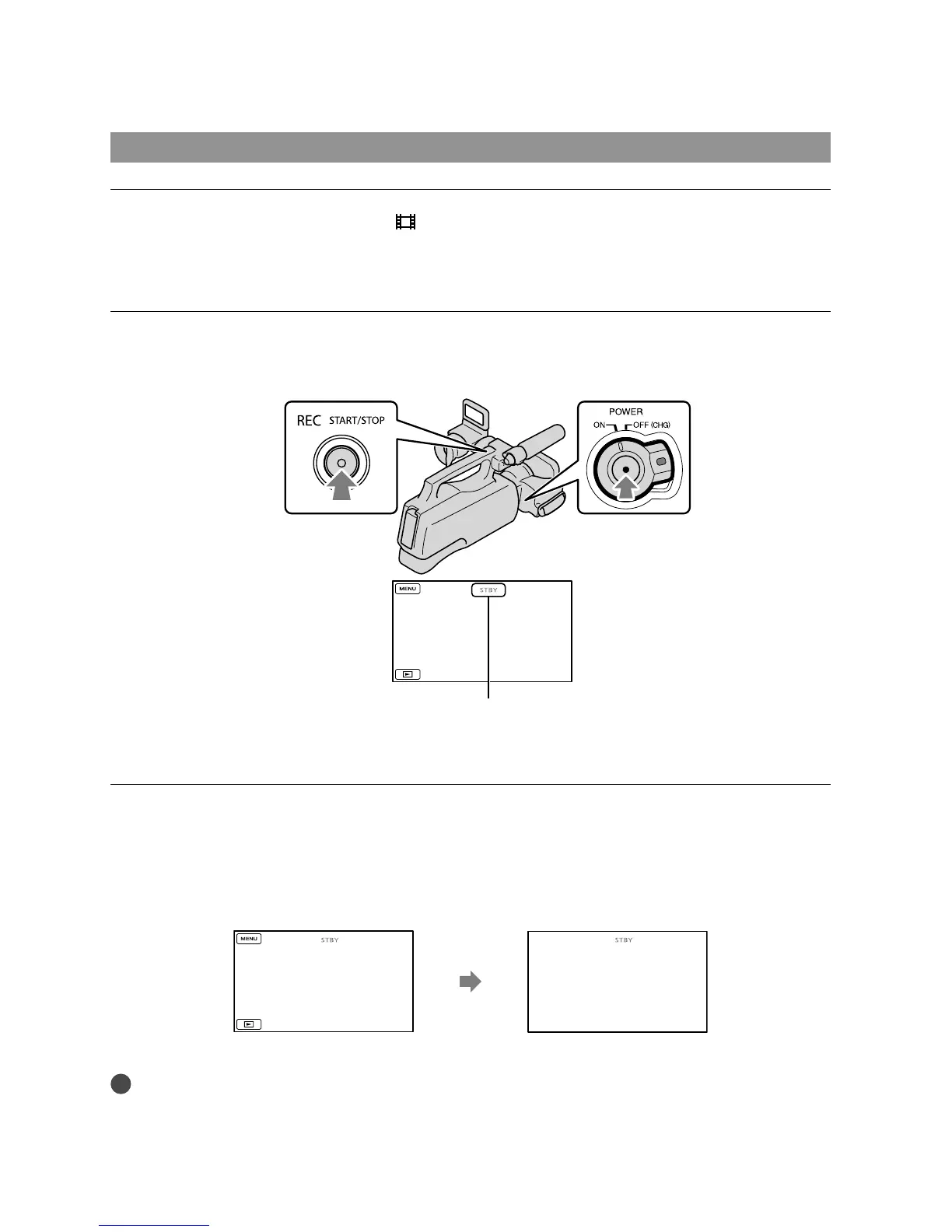
Press MODE to light up the (Movie) lamp.
The LCD screen display switches for movie recording mode, and the screen aspect ratio
becomes 4:3.
Press START/STOP (or ).
To stop recording, press START/STOP again.
The icons and indicators on the LCD panel will be displayed for about 3 seconds, then disappear after
turning on your camcorder or switching the recording (movie/photo)/playback modes. To display the
icons and indicators again, touch anywhere on the screen.
Notes
The maximum continuous recordable time of movies is about 13 hours.
When a movie file exceeds 2 GB, the next movie file is created automatically.
It will take several seconds until you can start recording after you turn on the camcorder. You cannot
about 3sec
after
START/STOP
button
START/STOP button
[STBY] [REC]









 To Next Page