38
GB
Playing images on a TV
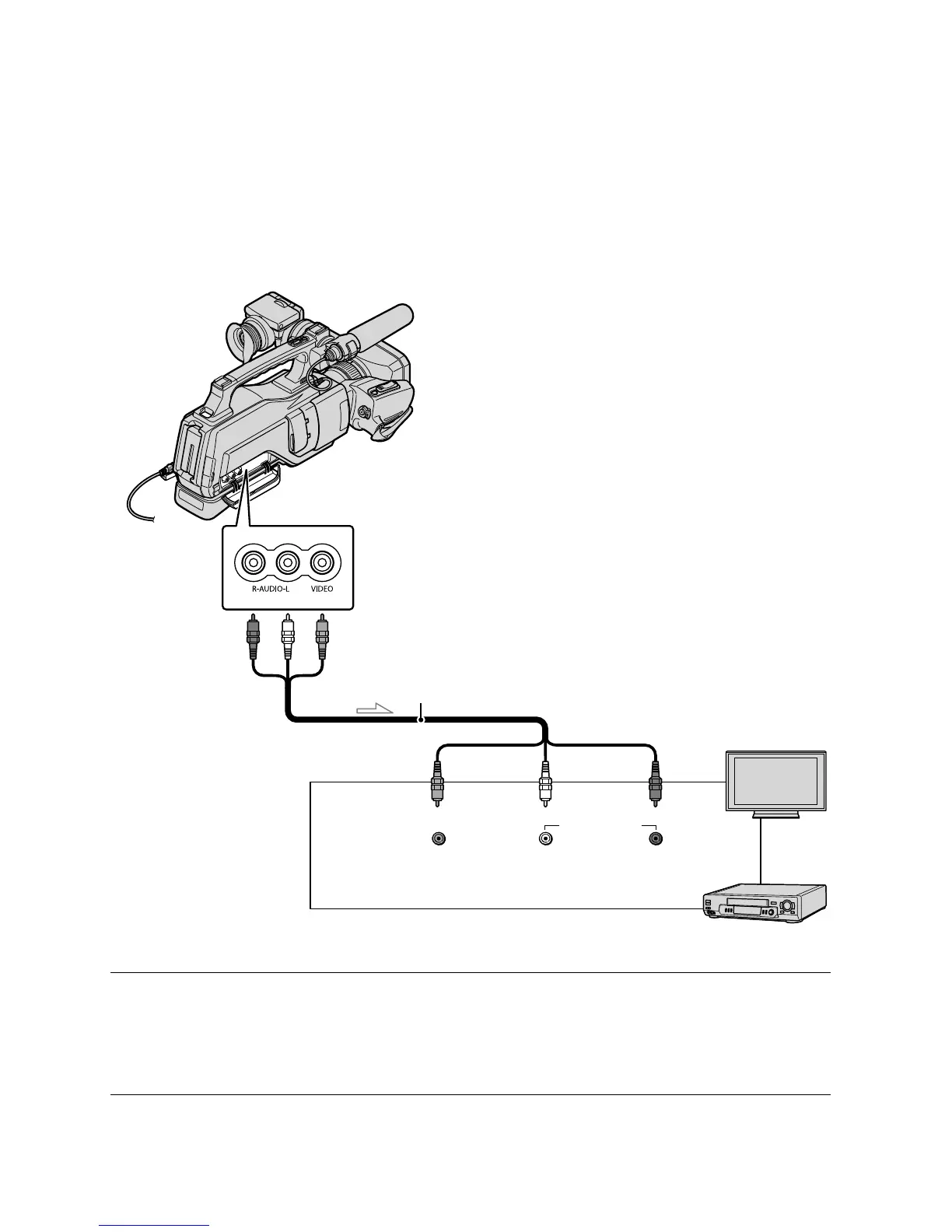
Connect your camcorder to the input jack of a TV or VCR using the supplied A/V connecting
cable. Connect your camcorder to the wall outlet (wall socket) using the supplied AC Adaptor
f
or this operation (p. 15). Refer also to the instruction manuals supplied with the devices to be
connected.
Set the input selector of the TV to the input your camcorder will be
connected to.
For details, refer to the instruction manuals supplied with the TV.
Connect your camcorder to a TV with the supplied A/V connecting cable.
Connect your camcorder to the input jack of the TV.
IN
VIDEO
(Yellow)
AUDIO
(White) (Red)
TVs
VCRs
A/V (audio/video) OUT
A/V connecting cable (supplied)









 To Next Page