15
Getting Started
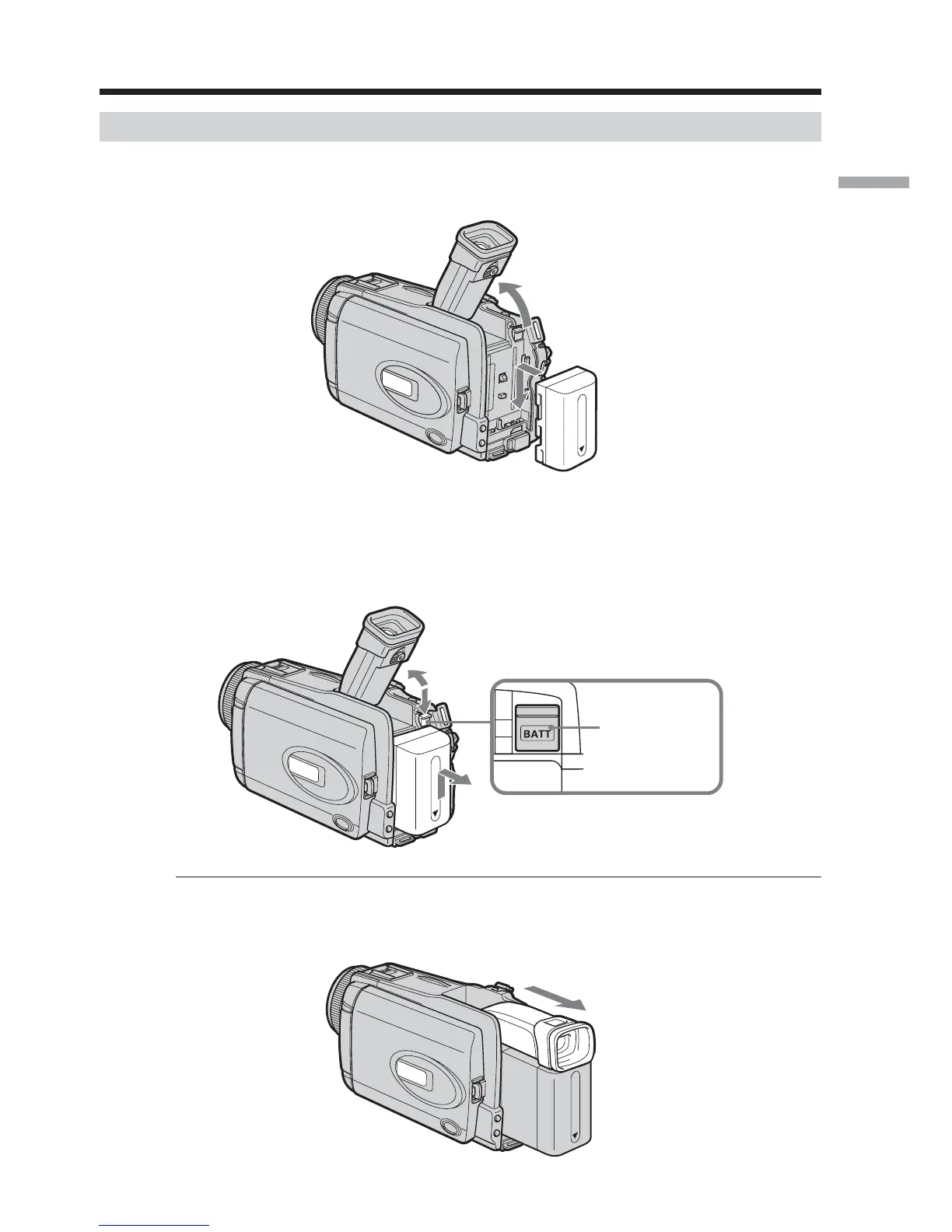
Installing the battery pack
(1) Lift up the viewfinder.
(2) Slide the battery pack down until it clicks.
To remove the battery pack
(1) Lift up the viewfinder.
(2) Slide the battery pack out in the direction of the arrow while pressing BATT
down.
If you use the large capacity battery pack
If you install the NP-FM70/QM71/QM71D/FM91/QM91/QM91D battery pack on your
camcorder, extend its viewfinder.
Step 1 Preparing the power source
1
2
2
BATT release
button
1
2













 To Next Page