86
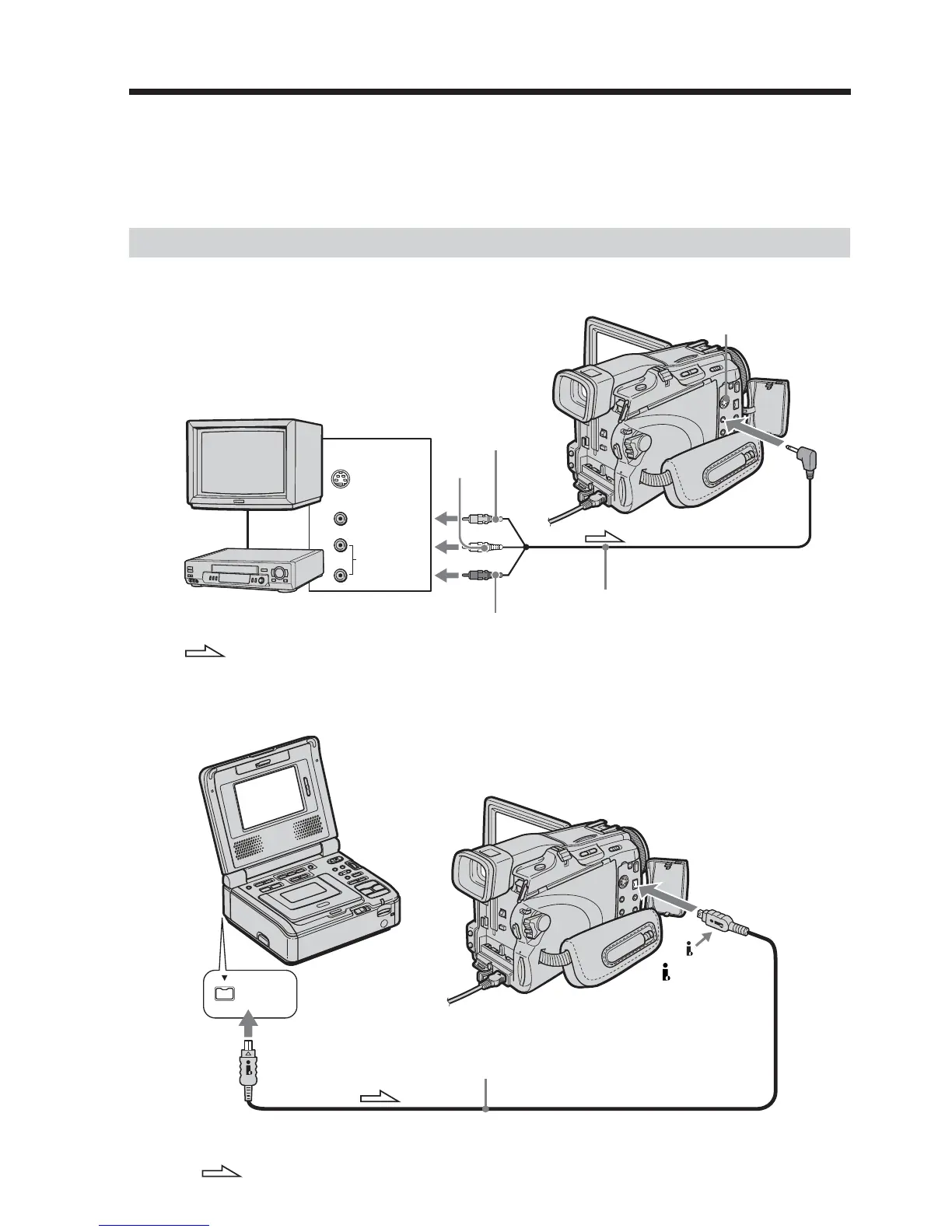
You can record the tape from another VCR or a TV program from a TV that has video/
audio outputs. Use your camcorder as a recorder. You can connect either the A/V
connecting cable (supplied) or i.LINK cable (optional).
If you connect with the i.LINK cable (optional), video and audio signals are transmitted
in digital form for high-quality editing.
Connecting to the VCR or the TV
Connecting with the A/V connecting cable
Connecting with the i.LINK cable
Recording video or TV programs
VCR
S VIDEO
VIDEO
AUDIO
OUT
S VIDEO
AUDIO/VIDEO
: Signal flow
White
Red
A/V connecting cable (supplied)
Yellow
TV
DV Interface
i.LINK
: Signal flow
i.LINK cable (optional)













 To Next Page