30
GB
Printing from a USB
memory
You can connect a USB memory and the
printer, and print an image directly from the
USB memory.
Notes
• We cannot guarantee connection with all types of
USB memory.
• We cannot guarantee connection with a mass
storage-compliant digital camera or photo storage.
• If a memory card is inserted in the printer, the
printer cannot read the signal from a USB memory
connected to the PictBridge/EXT INTERFACE
connector of the printer. Remove the memory card,
if any.
1 Connect the printer to the AC power
source (page 12).
2 Press the 1 (on/standby) button to
turn on the printer.
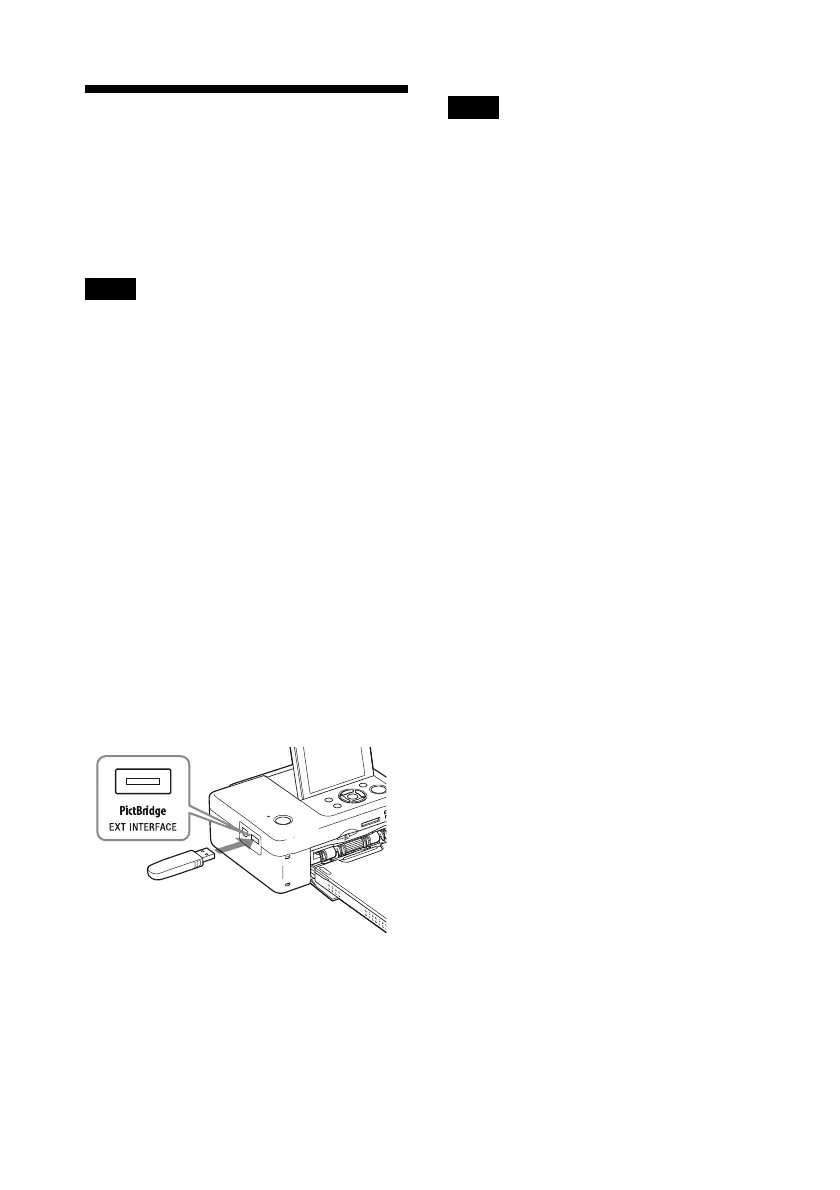
3 Connect a USB memory into the
PictBridge/EXT INTERFACE
connector of the printer.
Notes
• While the access indicator of a USB memory is
flashing, never turn off the power of the printer.
The data stored in the USB memory may be
damaged. We cannot compensate for any damages
that may be caused by data loss or damage.
• You cannot use a USB hub or a USB device
equipped with a USB hub.
• Encoded or compressed data by fingerprint
authentication or password cannot be used.
To PictBridge/EXT
INTERFACE connector
USB Memory



 To Next Page