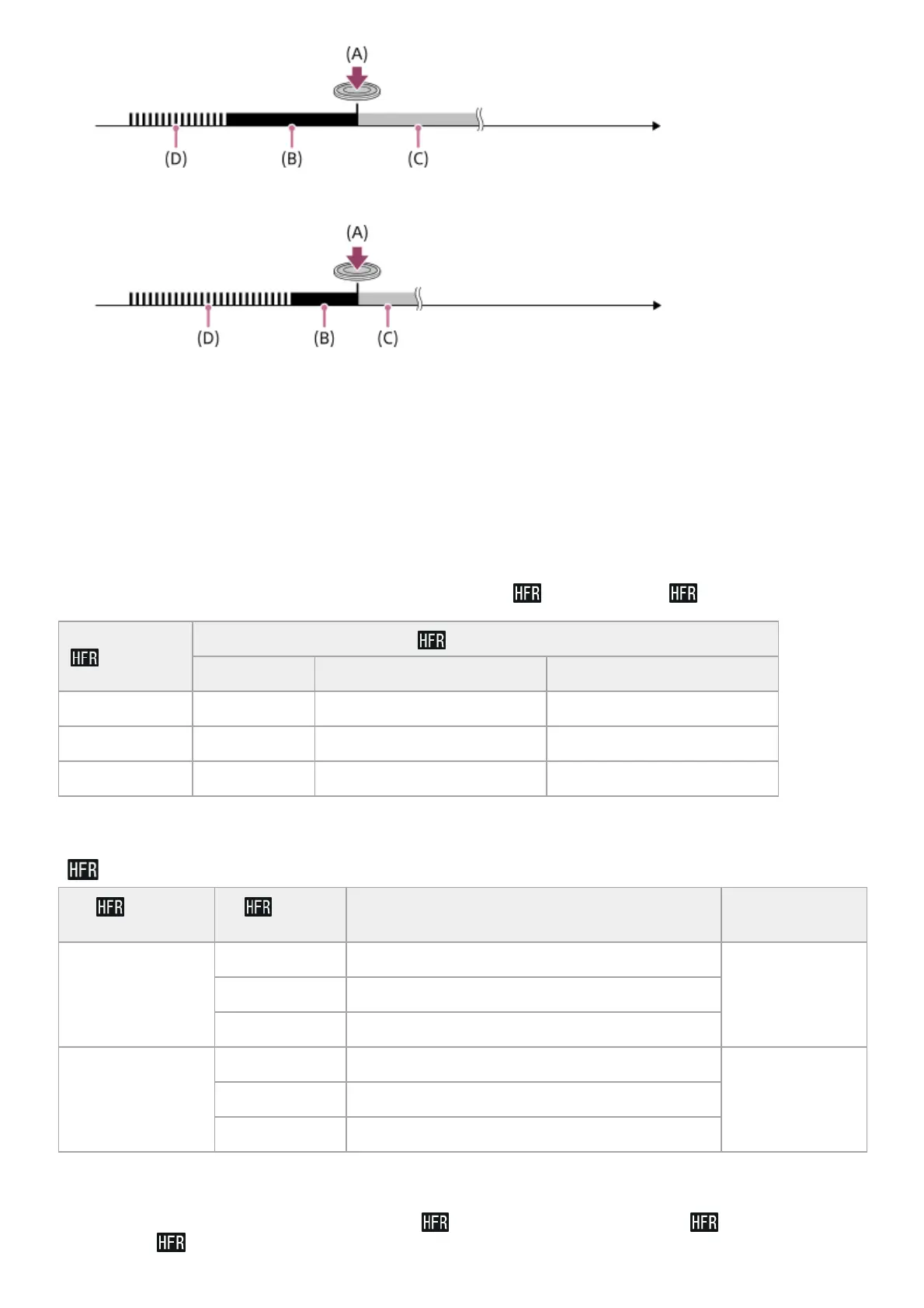
End Trigger Half
(A): The point when the SHUTTER/MOVIE button is pressed
(B): Recorded section
(C): Recording to memory card in progress (You cannot start the next session of shooting.)
(D): Buffering in progress
To redo shooting
You can cancel recording by selecting [Cancel] on the screen. However, the movie recorded up to the point you
cancelled will be saved.
Playback speed
The playback speed will vary as below depending on the assigned [
Frame Rate] and [ Record Setting].
[
Priority Setting] and shooting duration
Playback time
For example, if you shoot for approx. 4 seconds with [
Record Setting] set to [24p 50M]*, [ Frame Rate] set to
[960fps], and [
Priority Setting] set to [Shoot Time Priority], the playback speed will be 40 times slower and the
Frame Rate
Record Setting
24p 50M * 30p 50M /25p 50M 60p 50M /50p 50M
240fps /250fps 10 times slower 8 times slower/10 times slower 4 times slower/5 times slower
480fps /500fps 20 times slower 16 times slower/20 times slower 8 times slower/10 times slower
960fps /1000fps 40 times slower 32 times slower/40 times slower 16 times slower/20 times slower
Only when [NTSC/PAL Selector] is set to NTSC.
*
Priority
Setting
Frame
Rate
Effective pixel number read out from image
sensor
Shooting
duration
Quality Priority
240fps /250fps 1676×942
Approx. 2 seconds480fps /500fps 1676×566
960fps /1000fps 1136×384
Shoot Time Priority
240fps /250fps 1676×566
Approx. 4 seconds480fps /500fps 1136×384
960fps /1000fps 800×270














 To Next Page