How to remove the battery pack
1. Make sure that the access lamp is not lit, and turn off the camera.
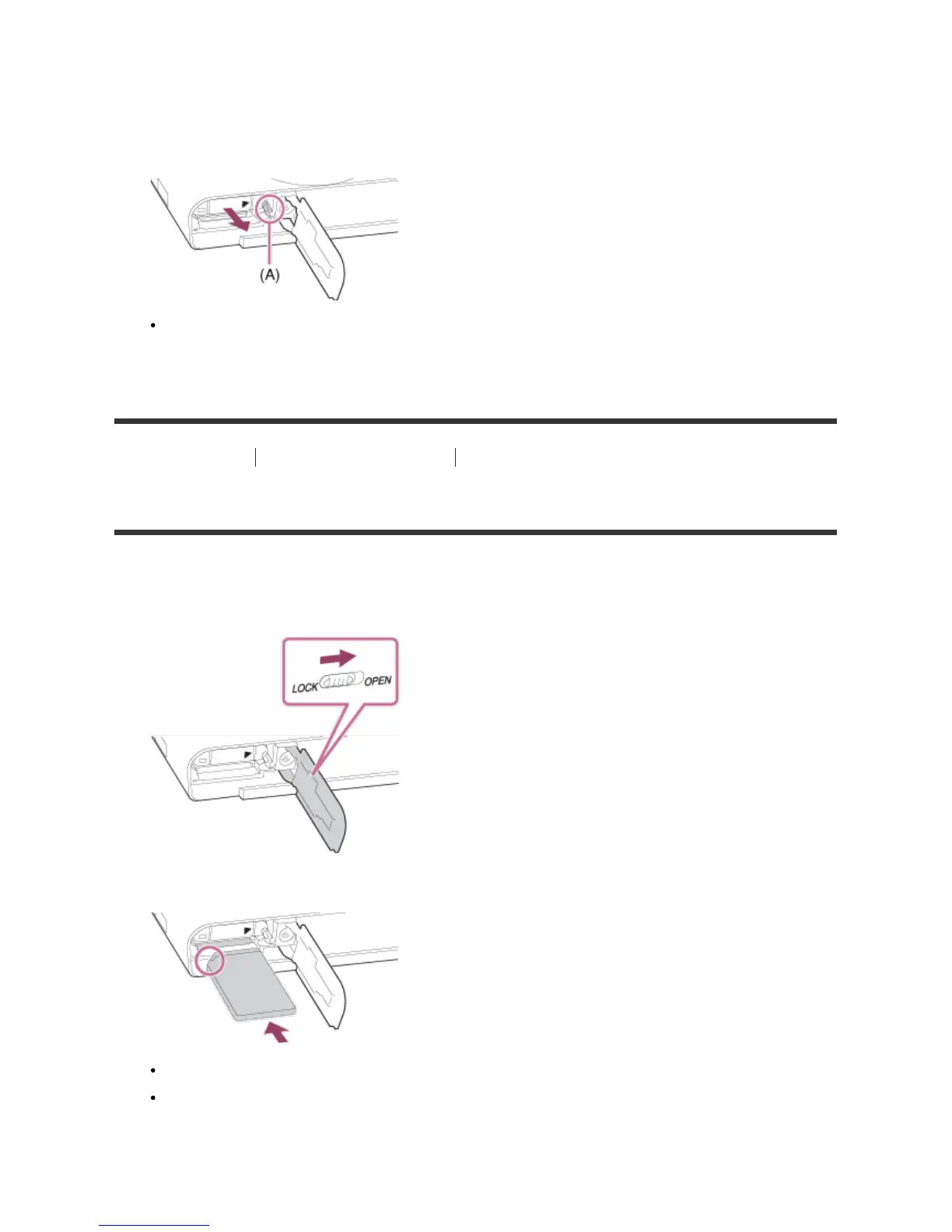
2. Slide lock lever (A) and remove the battery pack.
Be careful not to drop the battery pack.
[14] How to Use Preparing the camera Inserting a memory card (sold separately)
Inserting a memory card
How to insert a memory card
1. Slide the memory card cover to open it.
2. Insert the memory card.
Ensure that the notched corner is facing in the correct direction.
With the notched corner facing in the direction illustrated, insert the memory card until it clicks
into place.
3. Close the memory card cover.








 To Next Page