Help Guide
Digital Still Camera
DSC-RX10M4
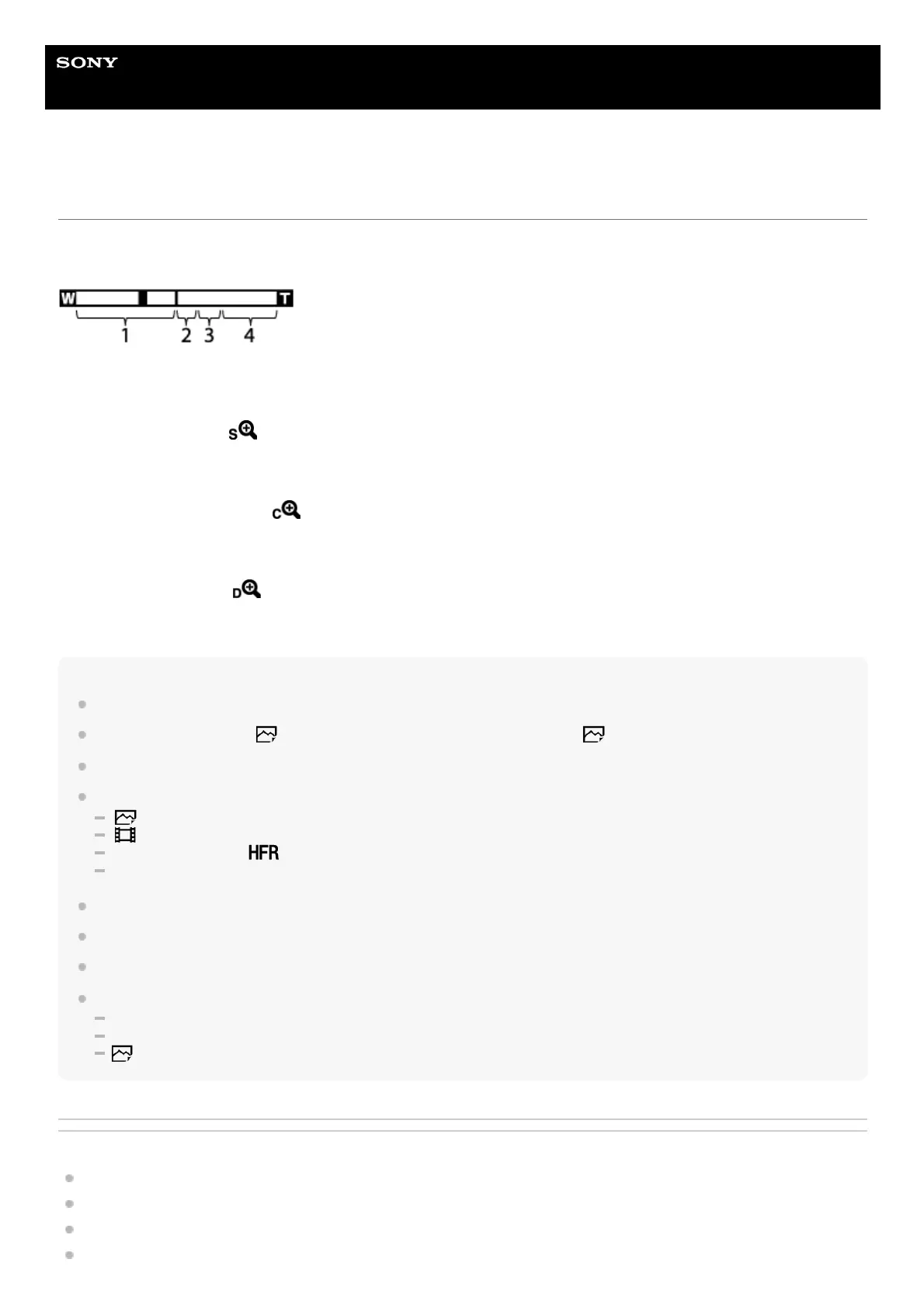
The zoom features available with this product
The zoom feature of the product provides a higher magnification zoom by combining various zoom features. The icon
displayed on the screen changes, according to the selected zoom feature.
Note
The default setting for the [Zoom Setting] is [Optical zoom only].
The default setting for the [
Image Size] is [L]. To use the smart zoom, change [ Image Size] to [M], [S] or [VGA].
Zooming is not available when shooting panoramic images.
Zoom functions other than the optical zoom are not available when shooting in the following situations:
[
Quality] is set to [RAW] or [RAW & JPEG].
[
Record Setting] is set to [120p]/[100p].
The mode dial is set to
(High Frame Rate).
The smart teleconverter function is assigned to one of the custom keys.
You cannot use the Smart Zoom function with movies.
Zooming is not available when the screen is set to HFR (High Frame Rate) shooting.
When you use a zoom function other than the optical zoom, [Metering Mode] is fixed to [Multi].
When using a zoom function other than the optical zoom, the following functions are not available:
Smile/Face Detect.
Lock-on AF
Auto Obj. Framing
Related Topic
Zoom
Zoom Setting
About zoom scale
Zoom Speed
Optical zoom range
Images are magnified within the optical zoom range of this product.
1.
Smart Zoom range (
)
Zoom images without causing the original quality to deteriorate by partially cropping an image (only when the image
size is [M], [S] or [VGA]).
2.
Clear Image Zoom range (
)
Zoom images using an image process with less deterioration. When you set [Zoom Setting] to [On:ClearImage
Zoom] or [On:Digital Zoom], you can use this zoom function.
3.
Digital Zoom range (
)
You can magnify images using an image process. When you set [Zoom Setting] to [On:Digital Zoom], you can use
this zoom function.
4.












 To Next Page