Help Guide
Digital Still Camera
DSC-RX10M4
Identifying parts
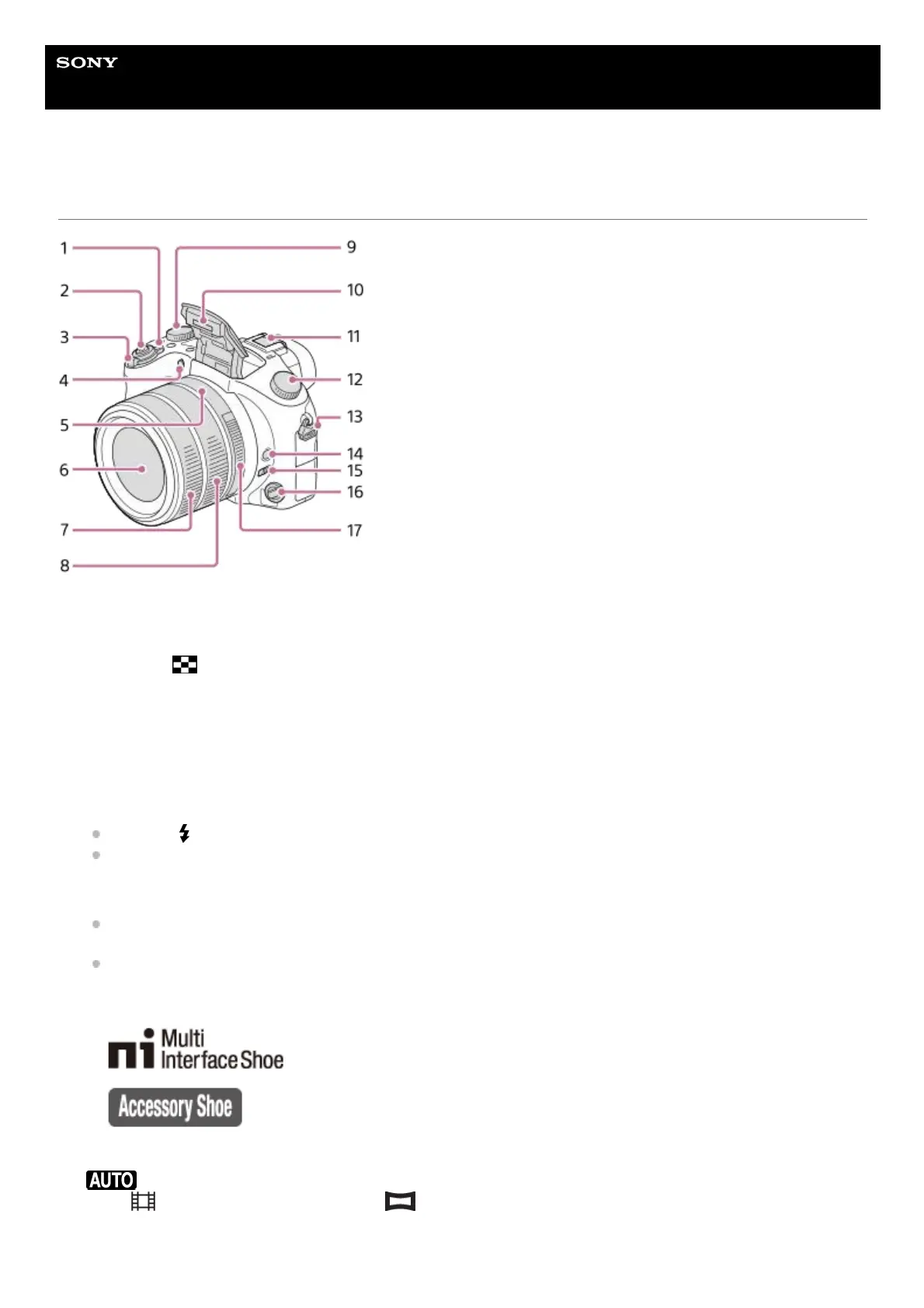
ON/OFF (Power) switch1.
Shutter button2.
For shooting: W/T (zoom) lever
For viewing:
(Index) lever/Playback zoom lever
3.
Self-timer lamp/AF illuminator4.
Aperture index5.
Lens6.
Front lens ring7.
Rear lens ring8.
Exposure compensation dial9.
Flash
Press the
(Flash pop-up) button to use the flash. The flash does not pop up automatically.
When not using the flash, press it back into the camera body.
10.
Multi Interface Shoe
Some accessories may not go in all the way and protrude backward from the Multi interface shoe. However,
when the accessory reaches the front end of the shoe, the connection is completed.
For details on compatible accessories for the multi interface shoe, visit the Sony website, or consult your Sony
dealer or local authorized Sony service facility. Accessories for the Accessory Shoe can also be used. Operations
with other manufactures’ accessories are not guaranteed.
11.
Mode dial
(Auto Mode/P(Program Auto)/A(Aperture Priority)/S(Shutter Priority)/M(Manual Exposure)/MR(Memory
recall)/
(Movie)/ HFR(High Frame Rate)/ (Sweep Panorama)/SCN(Scene Selection)
12.
Hook for shoulder strap13.












 To Next Page