• ForWindows2000/IVle/XP
@ Double-click on the tasktray.
Double-click here
@ Click _ (Sony DSC) --_ [Stop].
@ Confirm the device on the confirmation
window, then click [OK1.
(&) Click [OK1.
• Step 4 is unnecessary fnr Windows XR
(_) Disconnect the cable for multi-use
temdnal, remove the "Memory Stick", or
turn off the camera. When you copy
images from a "Memory Stick" afler
copying images in the internal memory to
the computer, inserl the "Memory Stick".
• ForWindowsg8/g8SE
(_) Confirm that the access indicators (page
59) arc white.
@ Disconnect the cable for multi-use
temdnal, remove the "Memory Stick", or
turn off the camera. When you copy
images from a "Memory Stick" afler
copying images in the internal memory to
the computer, inserl the "Memory Stick".
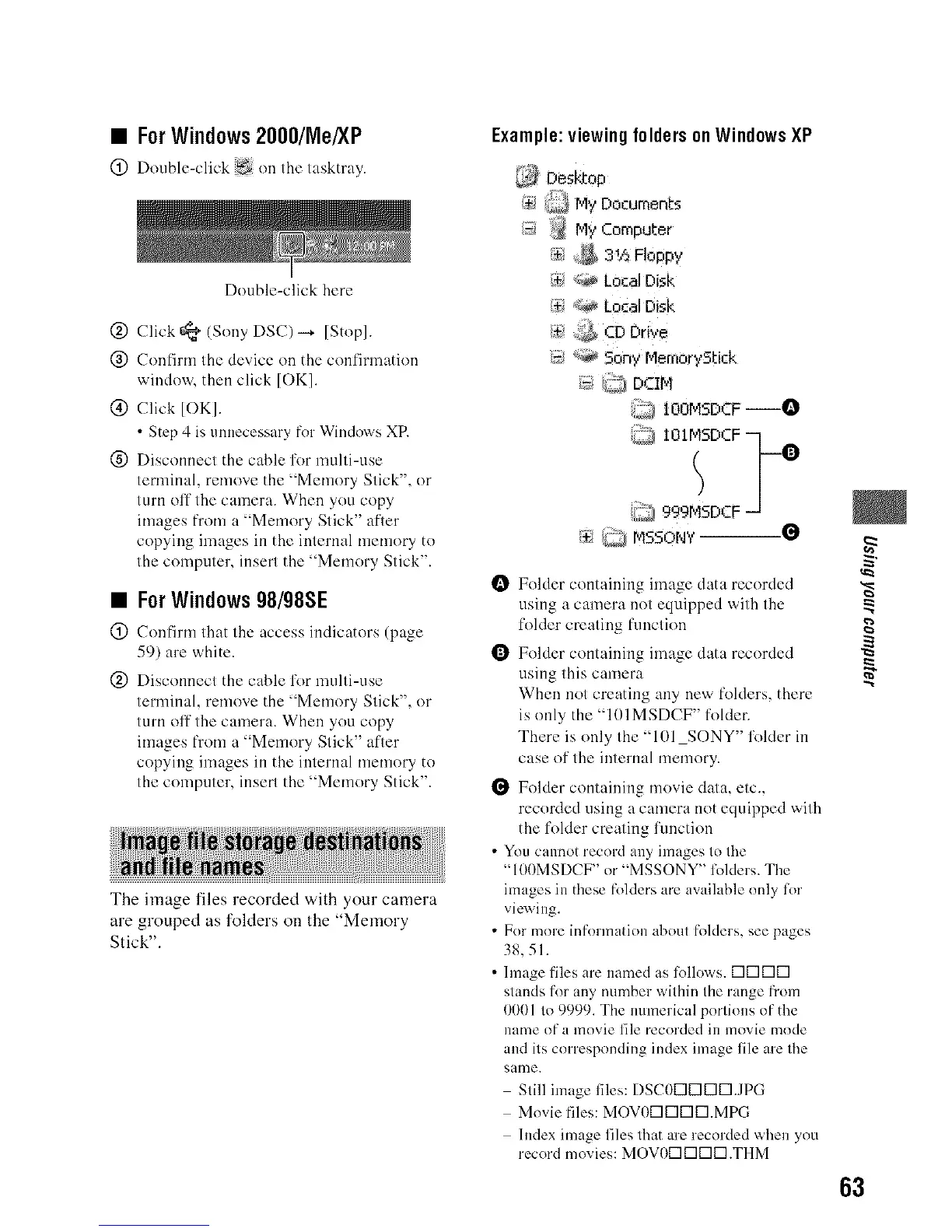
The image files recorded with your camera
are grouped as folders on the "Memory
Stick".
Example:viewingfoldersonWindowsXP
Desktop
/$_ Q My Documents
_ _ My Computer
{_ *;_, LocalDisk
i_<_ Local Disk
I_s,_ CD Drive
i_, *_ 5ony r,4emorySl:ick
(_ _ DCIM
@ iOOMSDCF--O
': IOIMSDCF -I
!? °
999 DCF
;_ _j MSSONV--0
Folder containing image data recorded
using a camera not equipped with the
folder creating fnnction
Folder containing image data recorded
using this camera
When not creating any new folders, there
is only the "101MSDCF" foldea
There is only the "101 SONY" folder in
case of the internal memory.
Folder containing movie data, etc.,
recorded using a camera not equipped with
the folder creating function
• You cannot record any images to the
"100MSDCF" or "MSSONY" folders. The
images in these folders are available only for
viewing.
• For more infnrmation about folders, see pages
38,51.
• hnage files are named as lollows. DIZIIZIIZI
stands for any number within the range fi'om
0001 to 9999. The nmnerical portions of the
name of a movie file recorded in movie mode
and its corresponding index image file are the
same.
Still image files: DSCODDIZIIZIJPG
Movie files: MOVODIZIIZIIZI.MPG
Index image files that are recorded when you
record movies: MOVODIZIIZIIZI.THM
63












 To Next Page