Usingthe suppliedsoftware
This section describes the process using a
Windows computer as an example. 1
The supplied CD-ROM contaius two
software applications: "PicturePackage"
and "hnageMixer."
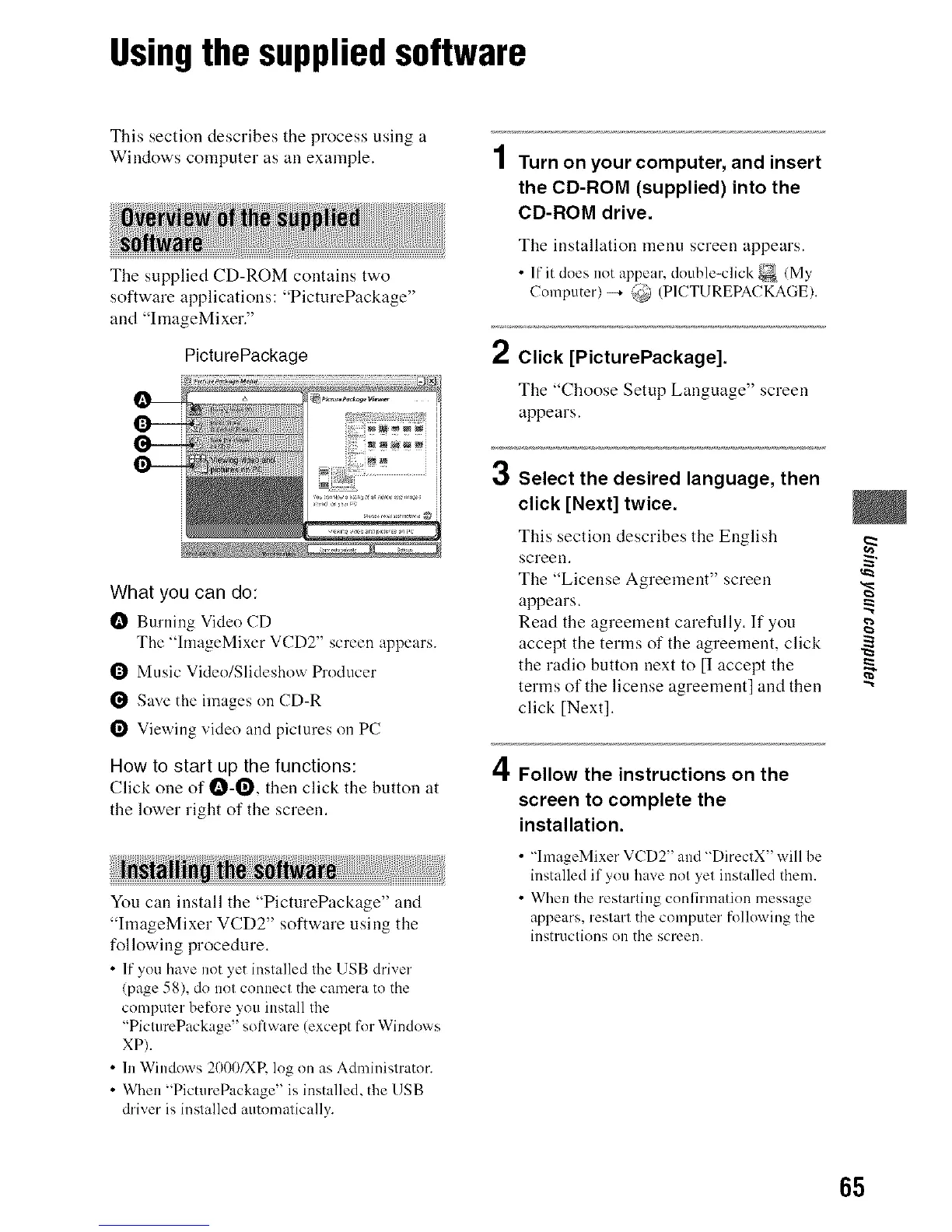
PicturePackage
What you can do:
I_ Burning Video CD
The "hnageMixer VCD2" screen appears.
Q Music Video/Slideshow Producer
Save the images on CD-R
Viewing vide() and pictures on PC
How to start up the functions:
Click one of I_-O, then click the button at
the lower right of the screen.
You can install the "PicturePackage" and
"hnageMixer VCD2" software using the
following procedure.
• If you have not yet installed the USB driver
(page 58), dn not connect the camera tn the
computer be[_>re you install the
"PicturePackage" snflware (except fur Windows
XP).
• In Windows 2000/XP, log on as Administrator.
• When "PicmrePackage" is installed, the USB
driver is installed automatically.
2
3
4
Turn on your computer, and insert
the CD-ROM (supplied) into the
CD-ROM drive.
The installation menu screeu appears.
• If itd_es _t _ppe/r,_otbe=c ck_(My
Computer)-4 @ (P1CTUREPACKAGE).
Click [PicturePackage].
The "Choose Setup Language" screen
appears.
Select the desired language, then
click [Next] twice.
This section describes the English
screeu. _"
The "License Agreement" screen
appears.
Read the agreemeut carefully. If you g
accept the terms of the agreement, click
the radio button uext to [1 accept the "_
terms of the license agreement] and then
click [Next].
Follow the instructions on the
screen to complete the
installation.
• "hnageMixer VCD2" and "DirectX" will be
installed if you have not yet installed them.
• When the restarting confirmation message
appears, restart the computer folk>wing the
instructions on the screen.
65












 To Next Page