EasyManua.ls Logo

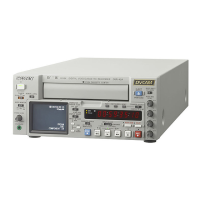
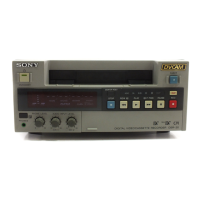
Sony DSR-45A - User Manual

Sony DSR-45A
220 pages
Print Icon
To Next Page IconTo Next Page
Loading...
2005 Sony Corporation
DSR-45A/45AP
2-637-519-12(1)
Digital
Videocassette
Recorder
DSR-45A/45AP
Operating Instructions
Mode d’emploi
GB
FR

Table of Contents

Other manuals for Sony DSR-45A

Questions and Answers

  • C
    christina43Sep 9, 2025
    Why can't I do audio dubbing on my Sony DSR-45A?
    • B
      brandijohnsonSep 9, 2025
      If you are experiencing issues with audio dubbing on your Sony VCR, ensure you are using a DVCAM-formatted tape that was recorded in the 32 kHz audio mode (4-channel). Audio dubbing onto DV-formatted tapes is not supported.
  • J
    Janet SmithSep 8, 2025
    Why does the pause mode release automatically on my Sony DSR-45A?
    • J
      Jessica CarrollSep 8, 2025
      To prevent the pause mode of recording, audio dubbing, or duplicating from being automatically released on your Sony VCR, note that the unit goes into stop mode after the pause mode continues for more than five minutes to protect the tape and video heads.
  • F
    Fernando HunterSep 7, 2025
    How to record using the Remote Control Unit on Sony DSR-45A?
    • J
      Jason RogersSep 7, 2025
      If you cannot make the Sony VCR record using the Remote Control Unit (DSRM-10/20), press the PLAY button while holding the REC button down on the Remote Control Unit.
  • R
    Ryan PaulAug 22, 2025
    How to stop my Sony DSR-45A from turning off automatically?
    • O
      ospearsAug 23, 2025
      To prevent the unit from automatically turning off after being in stop mode for over an hour, set AUTO STBY to DISABLE in the OTHERS menu.
  • X
    xpatrickSep 5, 2025
    Why is the time code not being recorded on my Sony DSR-45A VCR?
    • S
      Sara Rivera DVMSep 5, 2025
      If your Sony VCR is not recording the time code of the input DV signal even when DV IN TC on the TC/UB SET menu is set to EXTERNAL, ensure REC MODE on the VTR SET menu is set to DVCAM. Also, confirm that the editing software you are using is outputting a time code and that the INPUT SELECT selector is set to DV.
  • M
    matthewbushSep 3, 2025
    Why is my Sony DSR-45A Remote Commander not working?
    • V
      Vickie KlineSep 4, 2025
      If the Remote Commander or Remote Control Unit isn't working with your Sony VCR, check the setting of COMMANDER on the OTHERS menu and adjust it to match the device you are using.
  • D
    Dylan SmithSep 2, 2025
    What to do if my Sony VCR operates by itself?
    • T
      Tina MooreSep 2, 2025
      If your Sony VCR operates by itself, check if COMMANDER on the OTHERS menu is set to WIRELESS. If it is, and a Sony Remote Commander (command mode VTR4) is nearby, set COMMANDER to CONTROL S.
  • A
    Alison LangSep 1, 2025
    Why is a menu item not available on my Sony DSR-45A?
    • J
      Julie FletcherSep 1, 2025
      If a menu item is unavailable on your Sony VCR, ensure the REMOTE/LOCAL switch is set to LOCAL. If REC MODE on the VTR SET menu is set to DV SP, change it to DVCAM. Some menu items are only accessible in EE or playback mode, so set the unit accordingly. Also, some items on the TC/UB SET menu require TC MAKE to be set to PRESET. For VIDEO SET menu items, EXT SYNC must be ON with reference video signals input. Finally, ensure the REC/SAVE switch on the cassette inside the unit is set to REC.
  • W
    William GarciaAug 31, 2025
    How to restore EE picture and sound on a Sony DSR-45A VCR?
    • Z
      Zachary GarciaAug 31, 2025
      To resolve this issue, set EE/PB SEL to EE on your Sony VCR.
  • T
    Tonya SmithAug 29, 2025
    Why does my Sony VCR turn on automatically when plugged in?
    • J
      jonestracyAug 30, 2025
      If your Sony VCR automatically turns on when connected to a power outlet, it may be because AC ON MODE in the OTHERS menu is set to POWER ON. Change this setting to STBY. Also, check if there is a cassette inside and the TIMER selector is set to REPEAT or REC; if so, set the TIMER selector to OFF.

Summary

Chapter 1 Overview

Features

Describes the main capabilities of the DSR-45A/45AP digital videocassette recorder.

Location and Function of Parts

Identifies and explains the controls and connectors on the unit's front, rear, and display.

Chapter 2 Playback and Recording

Notes on Video Cassettes

Provides information on usable cassettes, cassette memory, and tape handling.

Playback Procedures

Step-by-step instructions for performing playback operations on the unit.

Recording Procedures

Step-by-step instructions for performing recording operations.

Chapter 3 Using the Unit as a Player in an Editing System

Notes on Usage in the Editing System

Discusses limitations and special considerations when using the unit in an editing system.

Connections for Digital Non-linear Editing

Shows connection diagrams for digital non-linear editing systems.

Connections for a Cut Editing System

Illustrates connection configuration for a cut editing system using the unit as a player.

Adjusting Edit Timing

Instructions and procedures for fine-tuning edit timing and adjusting the IN point.

Chapter 4 Setting the Time Code and Adjusting the Video Signals

Setting the Time Code and User Bits

Details how to set, display, record, and play back time code and user bits.

Synchronizing the Time Codes

Explains how to synchronize the internal time code generator with an external time code signal.

Adjusting the Sync and Subcarrier Phases of the Video Signals

Guides on adjusting sync and subcarrier phases for optimal video signal alignment.

Adjusting the Signals

How to adjust component signal levels and chrominance gain.

Chapter 5 Duplication and Audio Dubbing

Duplication (generating a work tape with the same time code)

How to copy time codes from a source tape to create a work tape.

Audio Dubbing

Explains how to record sound onto an already recorded tape.

Chapter 6 Adjusting and Setting Through Menus

Operating the Menus

Instructions on how to access and navigate the unit's menu system for adjustments.

Menu Organization

Overview of the unit's menu structure and available submenus.

TC;UB SET menu

Details settings for time code and user bits management.

DISPLAY SET menu

Settings for displaying data codes, aspect ratio, and color bars on the monitor.

VIDEO SET menu

Settings for video signal adjustment and noise reduction.

AUDIO SET menu

Settings for audio mode, dubbing, and jog audio functions.

VTR SET menu

Settings for recording modes, index, still pictures, and tape speed.

OTHERS menu

Settings for remote control, power modes, beeps, LCD, and clock.

Chapter 7 Maintenance

Troubleshooting

Guides users through common problems and their solutions.

Alarm Messages

Lists and explains error messages displayed by the unit and their remedies.

Notes on Use

General precautions and guidelines for using the unit safely and effectively.

Cleaning of the Video Heads

Instructions on how to clean the video heads to ensure proper performance.

Notes on the Video Cassettes

Important notes regarding cassette memory, terminal cleaning, and labels.

Notes on the LCD Screen

Information on LCD screen technology, care, and cleaning.

About Moisture Condensation

Explains conditions causing moisture condensation and how to prevent it.

Self-diagnostics Function

Explains the self-diagnostics function and how to interpret error codes.

Appendix

Compatibility of DVCAM and DV Format

Explains DVCAM and DV formats, differences, and compatibility on various equipment.

Limitations on editing

Lists limitations when editing DVCAM and DV formatted tapes.

Notes on Wide-screen Aspect Ratio Information

Explains how the unit handles wide-screen aspect ratio information during input and playback.

Specifications

Provides detailed technical specifications of the unit's hardware and performance.

Glossary

Definitions of technical terms used throughout the manual.

Index

Alphabetical index of topics covered in the manual for quick reference.

Submenu Index

Alphabetical index of submenus within the unit's settings for easy navigation.

Sony DSR-45A Specifications

General IconGeneral
BrandSony
ModelDSR-45A
CategoryVCR
LanguageEnglish

Related product manuals