To
resume
playback
from
the
point
where
you
stopped
the
disc
(Resume
Play)
IU!m!!I
m!Lm
r.m
When
you
press
~
again
after
you
stop
playback,
the
player
starts
playback
from
the
point
when
you
pressed
.,
'Q'
• To play from the beginning
of
the disc, press
• twice, and press
~.
• When turning power
on
again after power off,
resume play starts automatically.
u
• Depending
on
the
stop point, Resume play
may
not start
from
exactly
the
same point.
• The resume point
is
cleared when:
- you tum off the player (including standby
mode) while playing a DVD (VR mode).
- you open the disc lid.
Notes
on
the
screen
saver
• A
screen
saver
image
appears
when
you
leave
the
player
in
pause
or
stop
mode
without
operation
for
more
than
15
minutes,
The
image
disappears
when
you
press
~.
For
the
setup
of
"Screen
Saver,"
see
page
18.
•
The
player
goes
to
standby,
15
minutes
after
starting
the
screen
saver
function.
Press
~
to
come
out
of
standby
mode.
12
About
various
playback
operations
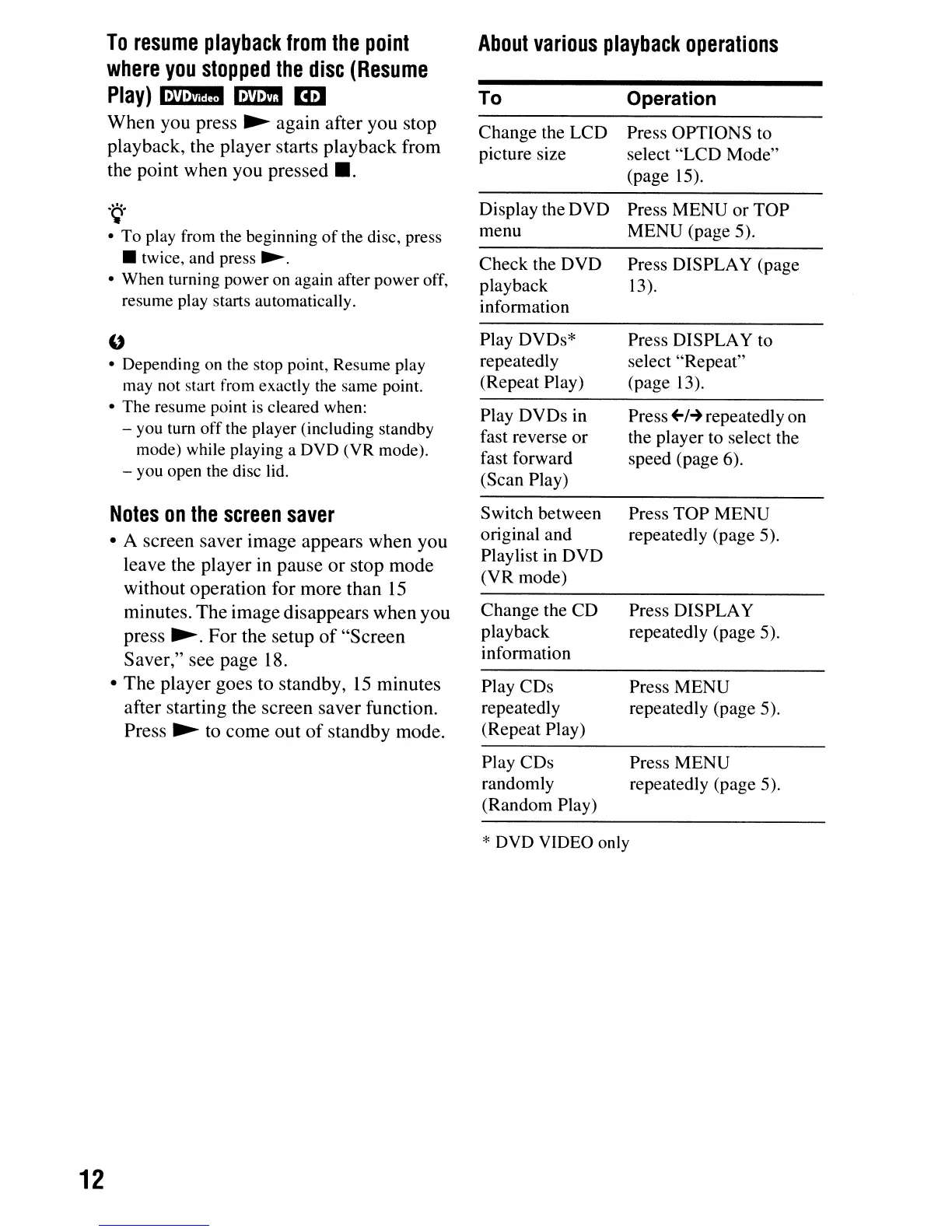
To Operation
Change the LCD Press OPTIONS to
picture size select
"LCD
Mode"
(page 15).
Display the DVD
Press MENU
or
TOP
menu
MENU
(page 5).
Check the DVD Press DISPLAY (page
playback 13).
information
Play DVDs*
Press DISPLAY to
repeatedly select "Repeat"
(Repeat Play)
(page 13).
Play DVDs in
Press
+-1-+
repeatedly on
fast reverse
or
the player to select the
fast forward
speed (page 6).
(Scan Play)
Switch between
Press
TOP
MENU
original and
repeatedly (page 5).
Playlist in DVD
(VR
mode)
Change the CD Press DISPLAY
playback repeatedly (page 5).
information
Play CDs
Press MENU
repeatedly repeatedly (page 5).
(Repeat Play)
Play CDs Press MENU
randomly repeatedly (page 5).
(Random Play)
* DVD VIDEO only



 To Next Page