Using
the
Playback
Information
Display
mEI!I
EUII
While playing a DVD, you can check the
current playback information. The
playback information display also allows
you to set a titlelchapter or change soundl
subtitle, and so on.
When entering the numbers, operate the
number buttons on the remote.
1
Press
DISPLAY
while
playing
a
DVD.
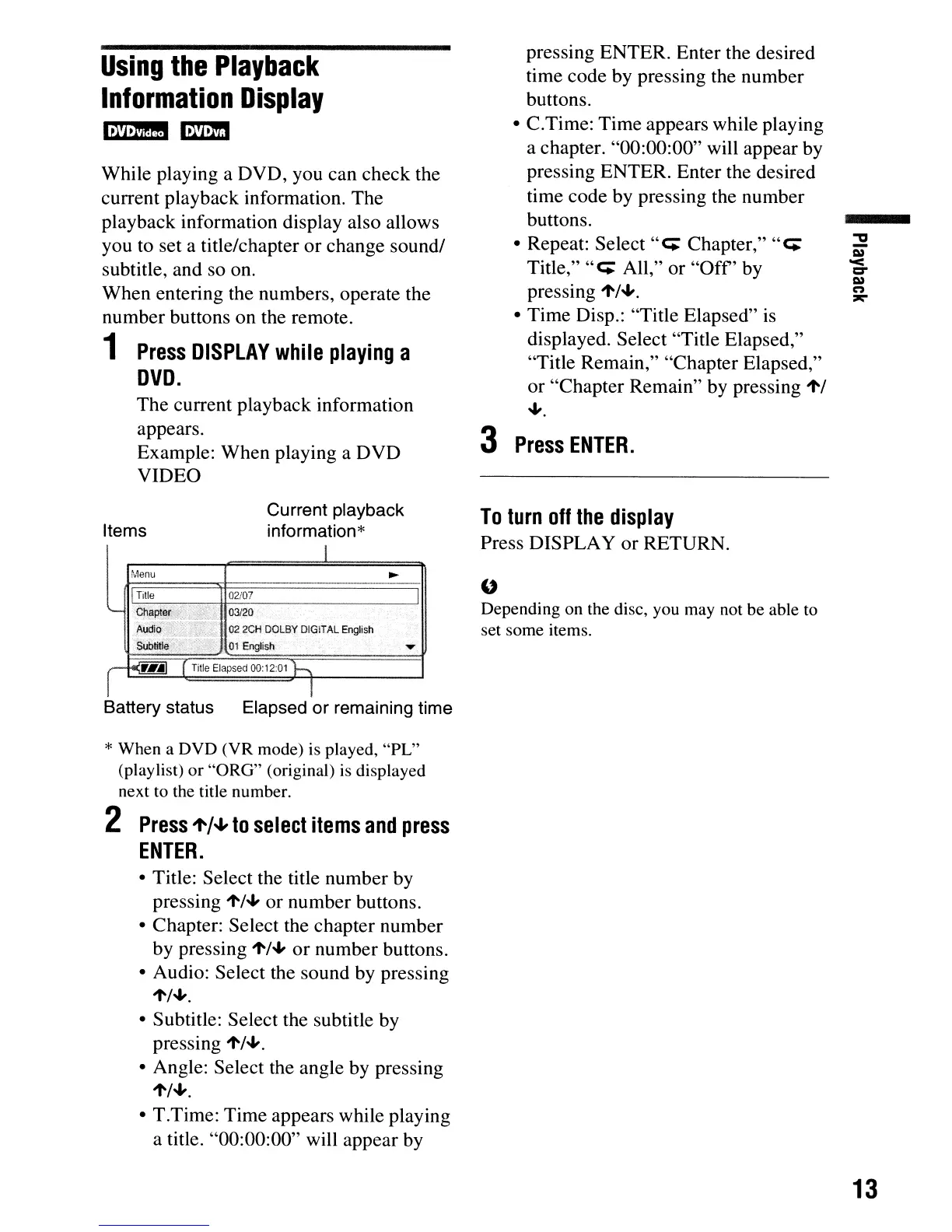
The current playback information
appears.
Example: When playing a DVD
VIDEO
pressing ENTER. Enter the desired
time code by pressing the number
buttons.
• C.Time: Time appears while playing
a chapter. "00:00:00" will appear by
pressing ENTER. Enter the desired
time code by pressing the number
buttons.
• Repeat: Select
"c;
Chapter,"
"c;
Title,"
"C;
All," or
"Off'
by
pressing
1'/+.
• Time Disp.: "Title Elapsed"
is
displayed. Select "Title Elapsed,"
"Title Remain," "Chapter Elapsed,"
or "Chapter Remain" by pressing
1'1
+.
3
Press
ENTER.
I
Menu
~
-
!
Tille
02i07
l
'--
Chapter
':;;;;;:'::
03120
Audio
~
022CH
DOLBY
DIGiTAL
English
Sublitle
.;,;
y.
011:nglish
~
q.~
r
Tille
Elapsed
00:12:01
h
T
Items
Current playback
information*
To
turn
off
the
display
Press DISPLAY or RETURN.
U
Depending on the disc, you may not be able to
set some items.
Battery status Elapsed or remaining time
* When a DVD (VR mode) is played,
"PL"
(playlist)
or
"ORG"
(original) is displayed
next to the title number.
2
Press
't'/.J,
to
select
items
and
press
ENTER.
• Title: Select the title number by
pressing
1'/+
or number buttons.
• Chapter: Select the chapter number
by pressing
1'/+
or
number buttons.
• Audio: Select the sound by pressing
1'/+.
• Subtitle: Select the subtitle by
pressing
1'/+.
• Angle: Select the angle by pressing
1'/+.
• T.Time: Time appears while playing
a title. "00:00:00" will appear by
13



 To Next Page