EasyManua.ls Logo

Sony EV-C500E - Inserting Remote Batteries; Controlling Other Sony Video Equipment

Sony EV-C500E
38 pages
Print Icon
To Next Page IconTo Next Page
To Previous Page IconTo Previous Page
Loading...
10
Preparation
.
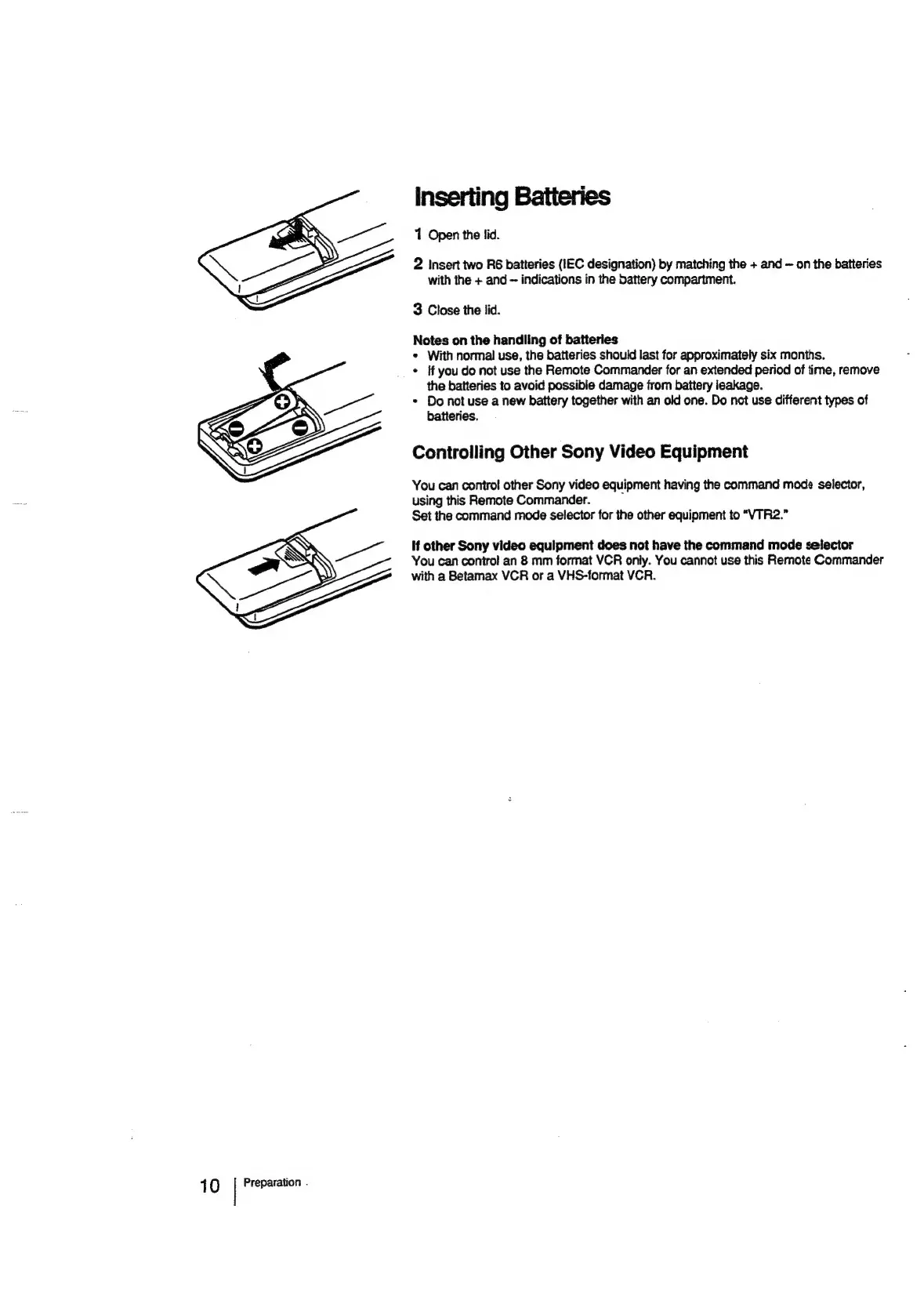
inserting
Batteries
1
Open
the
lid.
2
Insert
two
R6
batteries
(IEC
designation)
by
matching
the
+
and
~
on
the
batteries
with
the
+
and
indications
in
the
dattery
compartment.
3
Close
the
lid.
Notes
on
the
handling
of
batteries
*
With
normal
use,
the
batteries
should
last
for
approximately
six
months.
*
ff
you
do
not
use
the
Remote
Commander
for
an
extended
period
of
time,
remove
the
batteries
to
avoid
possible
damage
from
battery
ieakage.
*
Do
not
use
a
new
battery
together
with
an
old
one.
Do
not
use
different
types
of
batteries.
Controlling
Other
Sony
Video
Equipment
You
can
control
other
Sony
video
equipment
having
the
command
mode
selector,
using
this
Remote
Commander.
Set
the
command
mode
selector
for
the
other
equipment
to
“VTR2.”
If
other
Sony
video
equipment
does
not
have
the
command
mode
selector
You
can
contro!
an
8
mm
format
VCR
only.
You
cannot
use
this
Remote
Commander
with
a
Betamax
VCR
or
a
VHS-format
VCR.

Related product manuals