EasyManua.ls Logo

Sony EV-C500E - Page 9

Sony EV-C500E
38 pages
Print Icon
To Next Page IconTo Next Page
To Previous Page IconTo Previous Page
Loading...
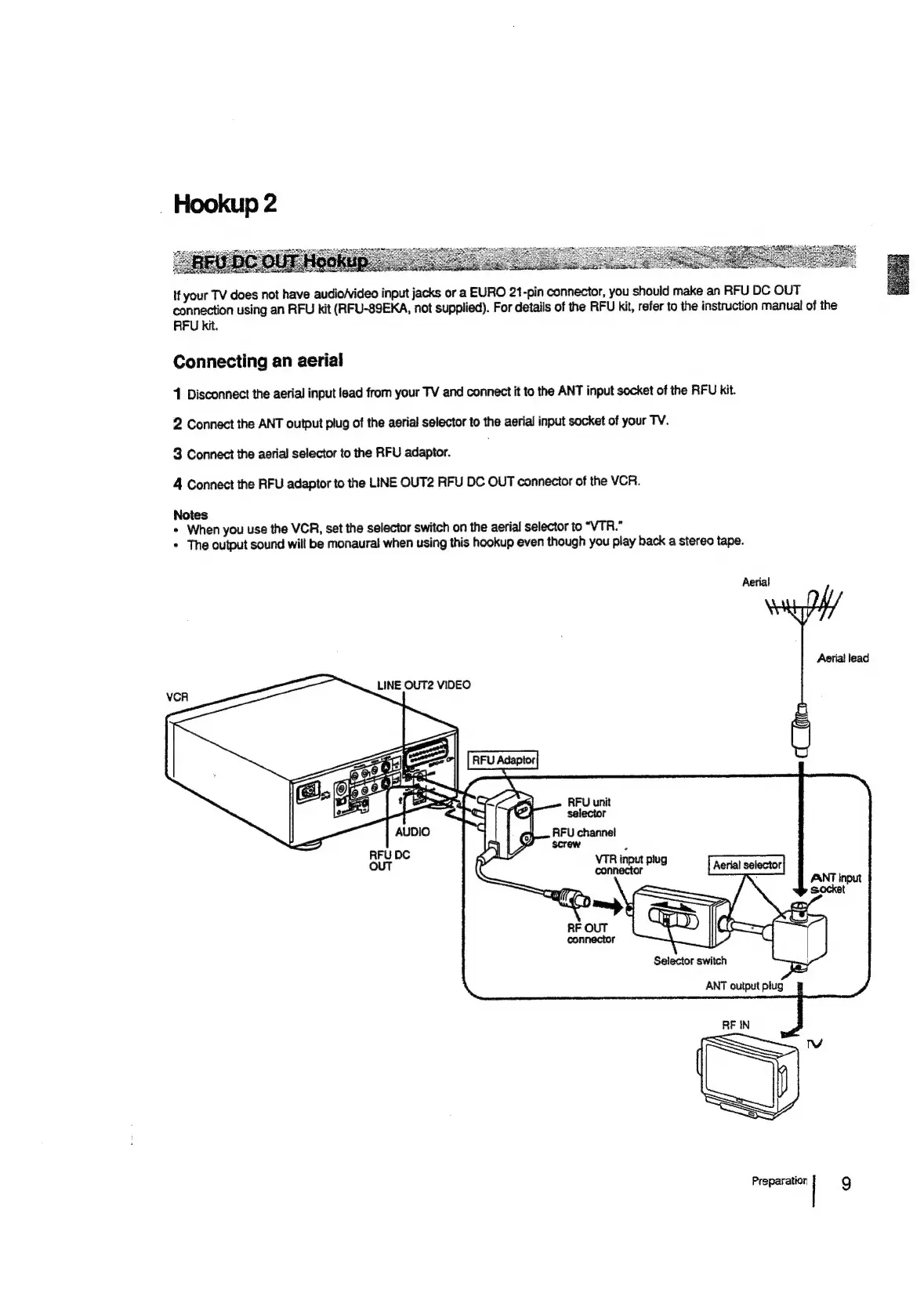
If
your
TV
does
not
have
audio/video
input
jacks
or
a
EURO
21-pin
connector,
you
should
make
an
RFU
DC
OUT
connection
using
an
RFU
kit
(RFU-89EKA,
not
supplied).
For
details
of
the
RFU
kit,
refer
to
the
instruction
manual
of
the
RFU
kit.
Connecting
an
aerial
1
Disconnect
the
aerial
input
lead
from
your
TV
and
connect
it
to
the
ANT
input
socket
of
the
RFU
kit.
2
Connect
the
ANT
output
plug
of
the
aerial
selector
to
the
aerial
input
socket
of
your
TV.
3
Connect
the
aerial
selector
to
the
RFU
adaptor.
.
4
Connect
the
RFU
adaptor
to
the
LINE
OUT2
RFU
DC
OUT
connecior
of
the
VCR.
Notes
+
When
you
use
the
VCR,
set
the
selector
switch
on
the
aerial
selector
to
“VTR.”
+
The
output
sound
will
be
monaural
when
using
this
hookup
even
though
you
play
back
a
stereo
tape.
Aerial
Aerial
lead
LINE
OUT2
VIDEO
RFU
unit
selector
RFU
channel
screw
VTR
input
plug
connector
Preparation
|
9

Related product manuals