EasyManua.ls Logo

Sony EV-C500E - Overview of Editing Functions

Sony EV-C500E
38 pages
Print Icon
To Next Page IconTo Next Page
To Previous Page IconTo Previous Page
Loading...
Chapter
5
Editing
Overview
of
the
Editing
Functions
Using
a
second
VCR,
you
can
record
programmes
from
one
VCR
to
the
other.
The
following
are
the
tape
editing
functions
available
on
the
VCR.
You
can
perform
these
editing
using
the
synchronized
editing
function
or
manually
(not
using
the
synchronized
editing).
In
this
section,
the
editing
using
the
synchronized
editing
function
will
be
mainly
explained.
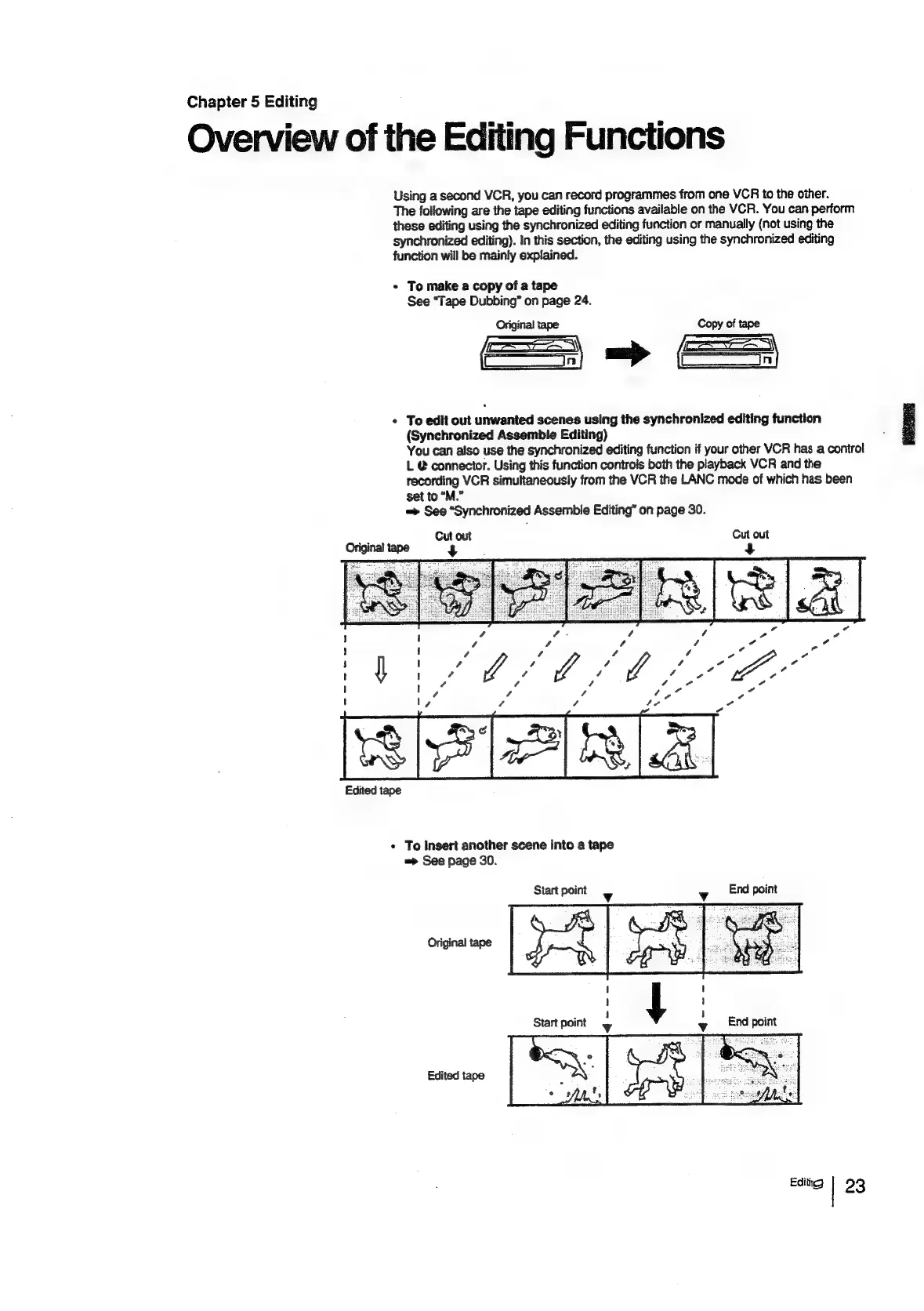
*
To
make
a
copy
of
a
tape
See
“Tape
Dubbing”
on
page
24.
Original
tape
Copy
of
tape
>
s
«
To
edit
out
unwanted
scenes
using
the
synchronized
editing
function
(Synchronized
Assemble
Editing)
You
can
also
use
the
synchronized
editing
function
if
your
other
VCR
has
a
control
L
@
connector.
Using
this
function
controls
both
the
playback
VCR
and
the
recording
VCR
simultaneously
from
the
VCR
the
LANC
mode
of
which
has
been
set
to
“M.”
See
“Synchronized
Assemble
Editing”
on
page
30.
Cut out
4
Original
tape
1
1
!
5
v
/
Z 2
j
|
?
,
¢
/
vf
Pa
t
t
/
/
fog
oe
1
I
e
=
t I
Edited
tape
*
To
insert
another
scene
into
a
tape
See
page
30.
Start
point
Editi
23

Related product manuals