GB
16
Turning the power on
• To change the screen language, press the MENU button and select
(OTHERS) - [LANGUAGE] with the ////SET button.
• To turn off the power, close the LCD monitor or press the (On/Standby)
button. If the viewfinder is extended, retract it.
• To set the date and time again, press the MENU button select
(OTHERS) [CLOCK SET] with the ////SET button. (In case you
haven’t used your camcorder for several months)
• To turn off the operating sound, press the MENU button select
(OTHERS) [BEEP] [OFF] with the ////SET button.
1
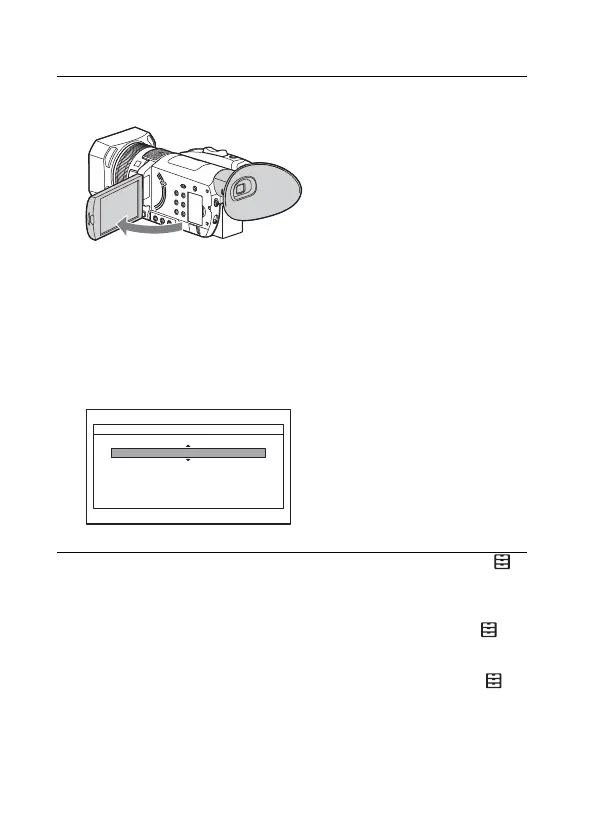
Open the LCD monitor of your camcorder and turn
the power on.
• You can also turn on the power by extending the viewfinder or by
pressing the (On/Standby) button. To extend the viewfinder, grip
both side of the viewfinder and pull it out horizontally.
• When you use your camcorder for the first time, the [CLOCK SET]
screen appears.
2
Follow the instructions on the LCD monitor and select
AREA SET, DST SET (SUMMERTIME), and DATE with
the ////SET button.
• For detail how to use the ////SET button, see page 46.
CLOCK SET
AREA SET
DST SET
(SUMMERTIME)
OFF
2017 Y 1 M 1 D 12:00AM
GMT +9.0
Tokyo/Seoul
DATE



 To Next Page