GB
26
Using the manual adjustment features
Adjusting the focus
1
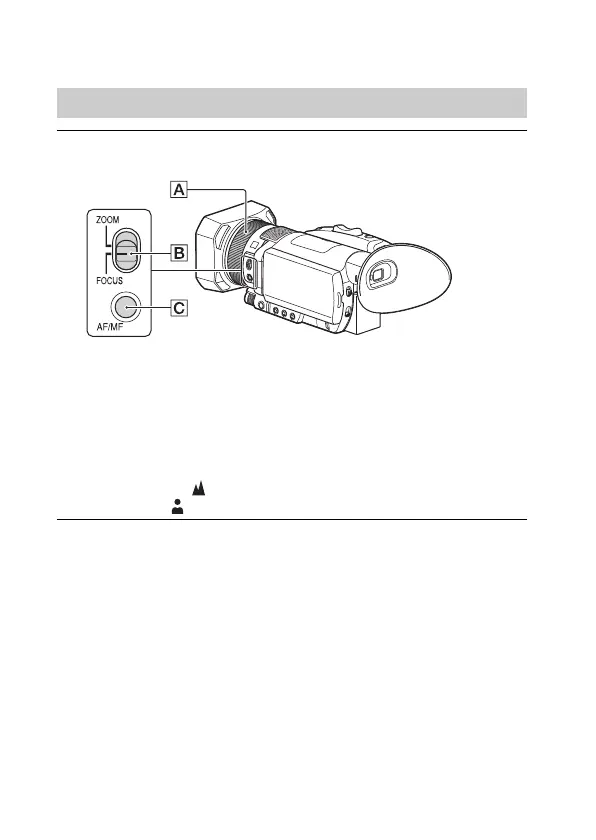
During recording or standby, press the AF/MF button
to set the focus to manual.
• appears.
2
Move the ZOOM/FOCUS switch , and turn the
manual lens ring .
• FOCUS: You can manually adjust the focus by turning the manual
lens ring.
• ZOOM: You can manually adjust the zoom by turning the manual
lens ring.
changes to when the focus cannot be adjusted any farther, or
changes to when the focus cannot be adjusted any closer.



 To Next Page