GB
18
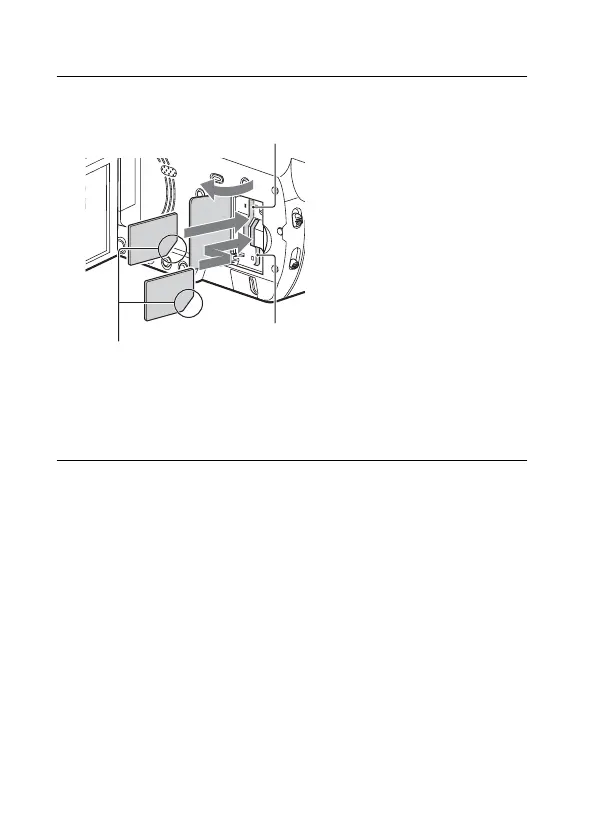
Inserting a memory card
• To eject the memory card, open the cover and lightly push the memory
card in once.
1
Open the cover, and insert the memory card until it
clicks.
• The [Preparing image database file. Please wait.] screen appears if
you insert a new memory card. Wait until the screen disappears.
• Memory card slot A accepts either Memory Stick media or an SD
card. Memory card slot B accepts an SD card only.
Insert the card with the notched
corner in the direction as illustrated.
Memory card slot A
Memory card slot B



 To Next Page