GB
46
Customizing your camcorder
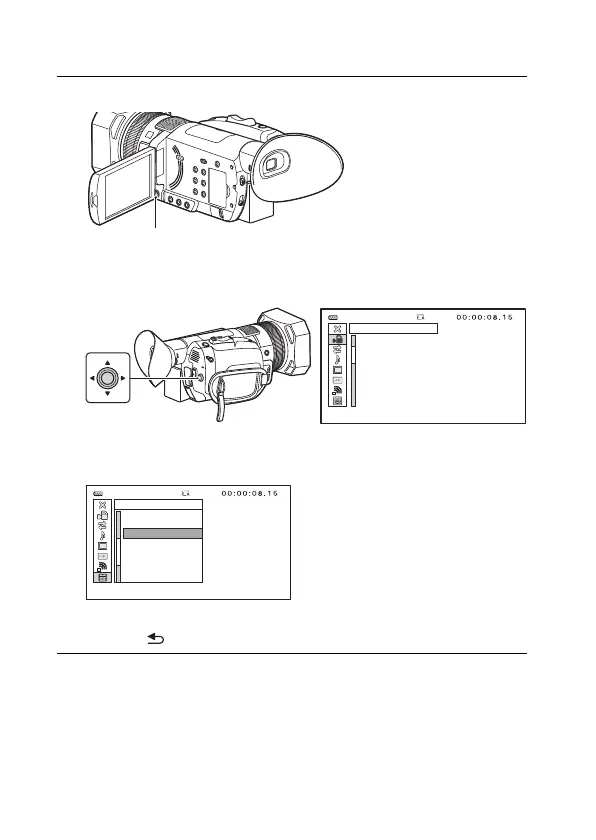
Using the menus
1
Press the MENU button.
2
Select a menu icon with the ////SET button
and press the ////SET button to enter.
3
Press the ////SET button to select a desired
menu item.
• To finish the MENU, press the MENU button.
• Select [ RETURN] to return to the previous menu screen.
[MENU]: END
CAMERA SET
STBY
AGC LIMIT
WB PRESET
WB OUTDOOR LEVEL
WB TEMP SET
WB SET
AE SHIFT
D. EXTENDER
ZOOM SET
100%
[MENU]: END
OTHERS
OFF
STBY100%
LANGUAGE
DATE REC
BEEP
REC LAMP
REMOTE CONTROL
60i/50i SEL
MEDIA FORMAT
REPAIR IMAGE DB FILE



 To Next Page