GB
31
Recording/Playback
Playback
1
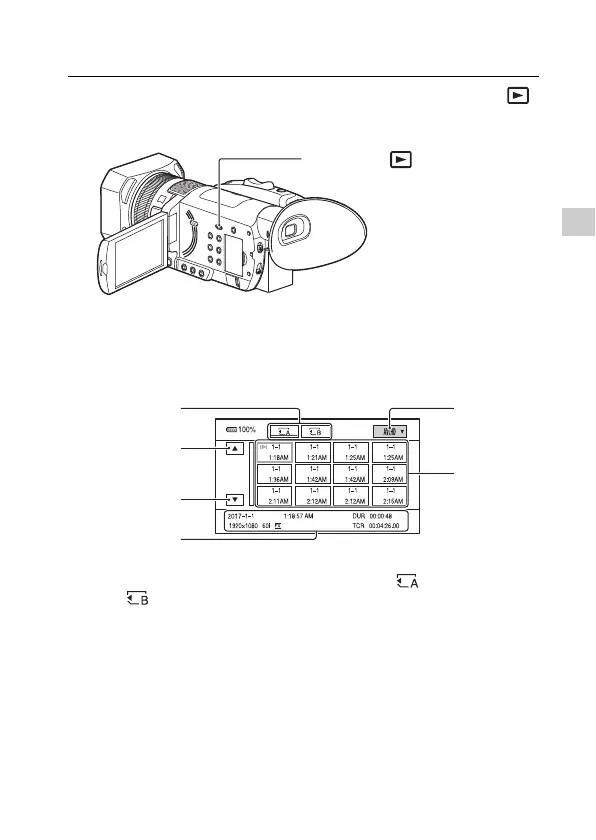
Open the LCD monitor and press the THUMBNAIL
(playback) button on the camcorder to enter the
playback mode.
• The thumbnail screen appears.
• You can turn on or off the date and time display on the thumbnails
by pressing the DISPLAY button.
2
Touch the memory card you want to play back.
• You can also select the desired memory card (memory card A)
or (memory card B) with the ////SET button. Press the
SET button to display the thumbnails in that media.
THUMBNAIL (playback) button
Memory
cards
Previous
Next
Movie
thumbnails
Playback
mode
Current
movie data


 To Next Page