GB
27
Recording/Playback
Adjusting the iris
1
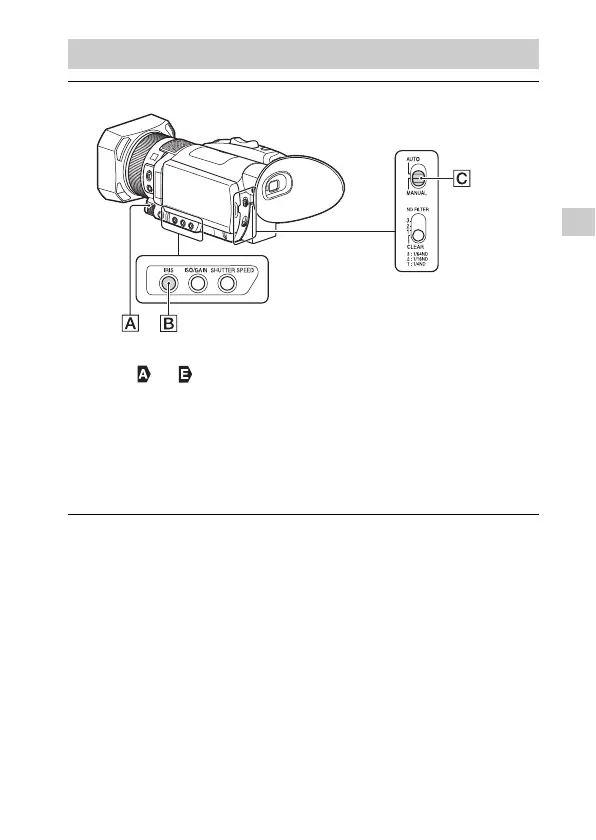
Set the AUTO/MANUAL switch to “MANUAL.”
2
Press the IRIS button .
• The or next to the iris value disappears, and the iris value is
highlighted.
3
Turn the manual dial to adjust the value and press
the ////SET button to enter.
• The volume of the light increases the more that you open the
aperture (decreasing F value). The volume of the light decreases the
more that you close the aperture (increasing F value).


 To Next Page