GB
29
Recording/Playback
You can adjust and fix the shutter speed manually.
Adjusting the shutter speed
1
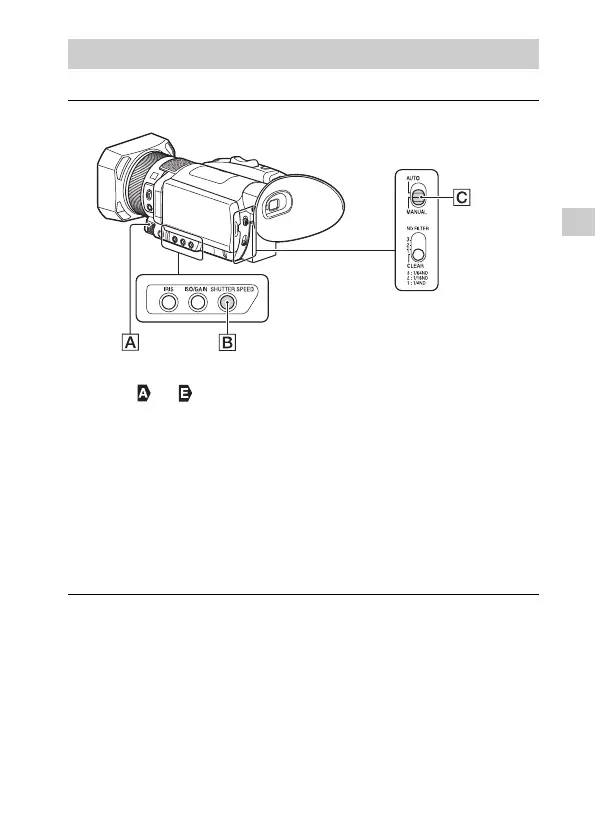
Set the AUTO/MANUAL switch to “MANUAL.”
2
Press the SHUTTER SPEED button .
• The or next to the shutter speed value disappears, and the
shutter speed value is highlighted.
3
Turn the manual dial to adjust the value and press
the ////SET button to enter.
• When [60i] is selected: You can select from 1/8 to 1/10000 (1/6 - 1/
10000 when shooting with 24p).
• When [50i] is selected: You can select from 1/6 to 1/10000.
• The denominator of the set shutter speed appears on the LCD
monitor. For example, [100] appears on the LCD monitor when you
set the shutter speed to 1/100 second. The larger the value on the
LCD monitor is, the faster the shutter speed is.


 To Next Page