GB
41
Saving images
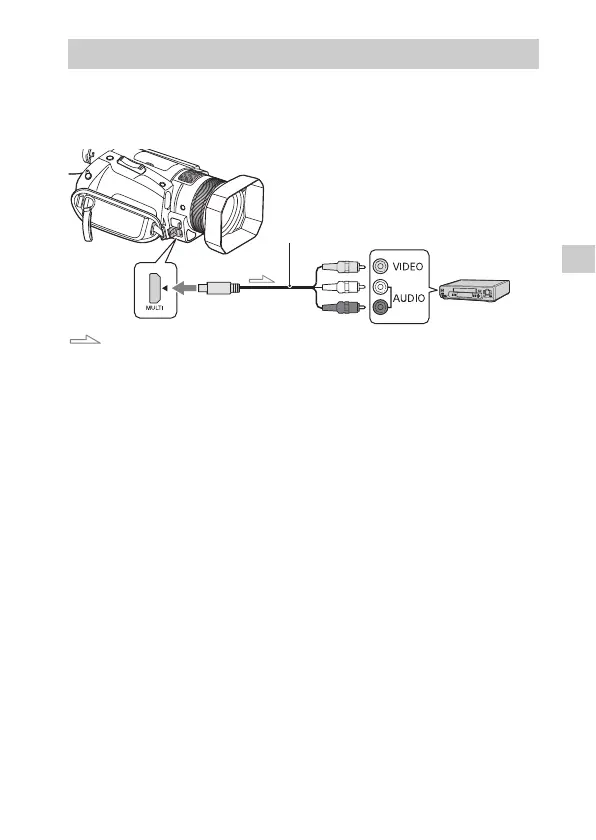
Recorder without a USB jack
Connect a recorder to the Multi/Micro USB Terminal of your
camcorder using an AV cable (sold separately).
Signal flow
• For how to save images, also refer to the instruction manual of your
recording device.
• Movies are copied with standard definition image quality.
How to connect a device
AV cable (sold separately)



 To Next Page