GB
59
Others
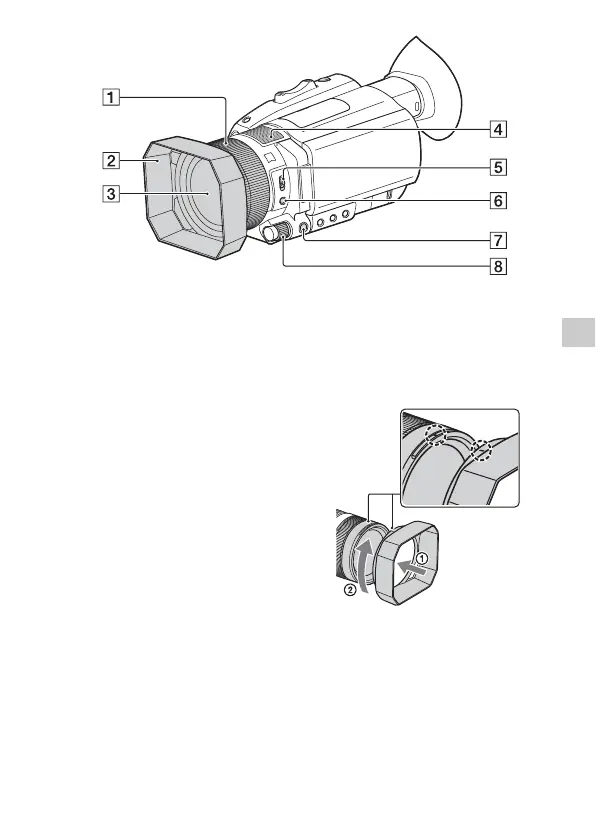
Manual lens ring (26)
Lens hood
Lens (ZEISS lens)
Internal microphone
ZOOM/FOCUS switch (26)
AF/MF button (26)
MENU button (46)
Manual dial (27, 28, 29)
Attaching the lens hood
Align the marks on the lens
hood to those on the camcorder,
and turn the lens hood in the
direction of the arrow until it
is locked.
• If you attach or remove a 62
mm (2 1/2 in.) PL filter or MC
protector, remove the lens
hood.



 To Next Page