4
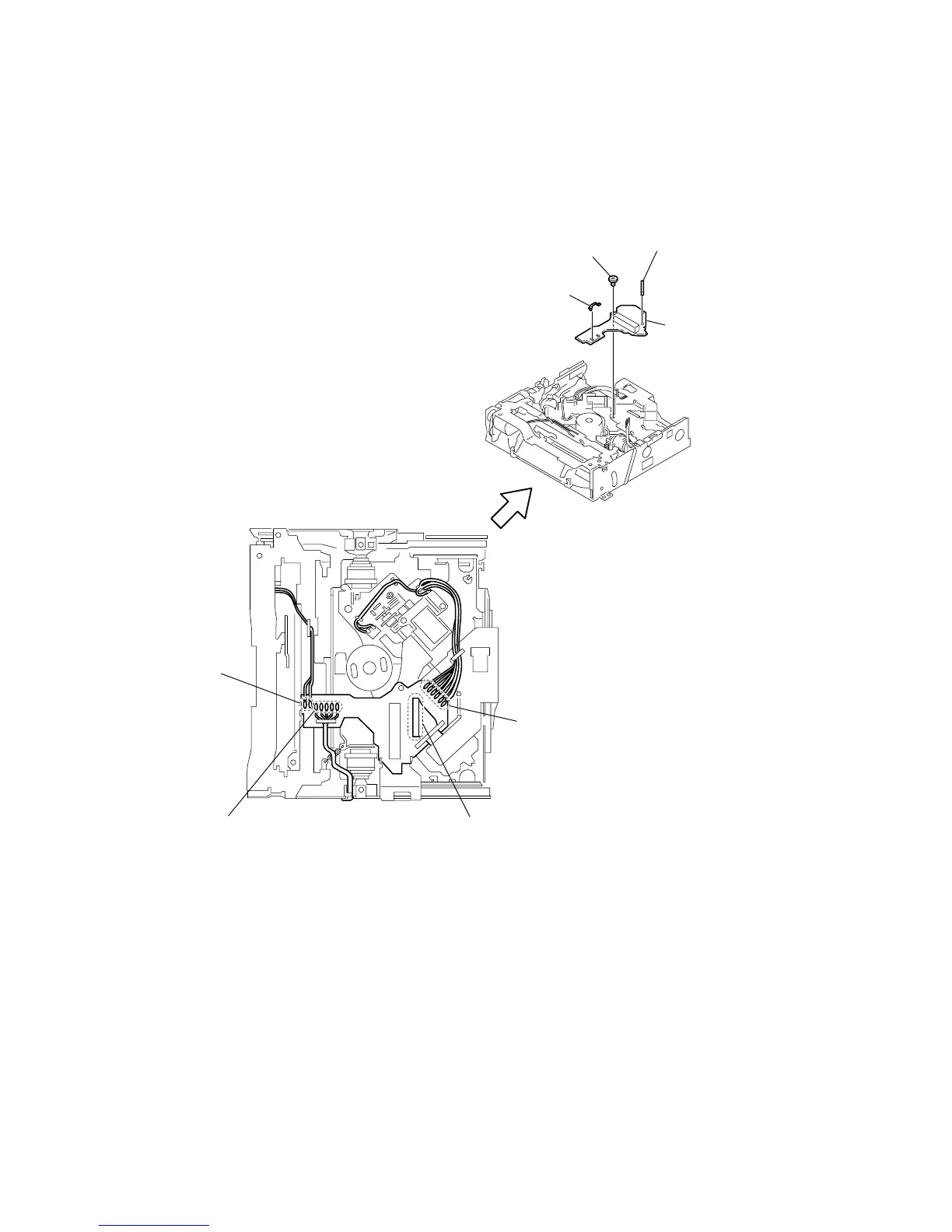
Remove the soldering.
1
Remove solderings
starting from the
left LOADING (+),
(–), red and black.
2
Remove solderings starting from the left
green, yellow, orange, red and brown.
3
Remove solderings starting from
the top left SPINDLE (+), (–), FD
MOTOR (+), (–) and the LIMIT
switch that has no polarity.



 To Next Page