22
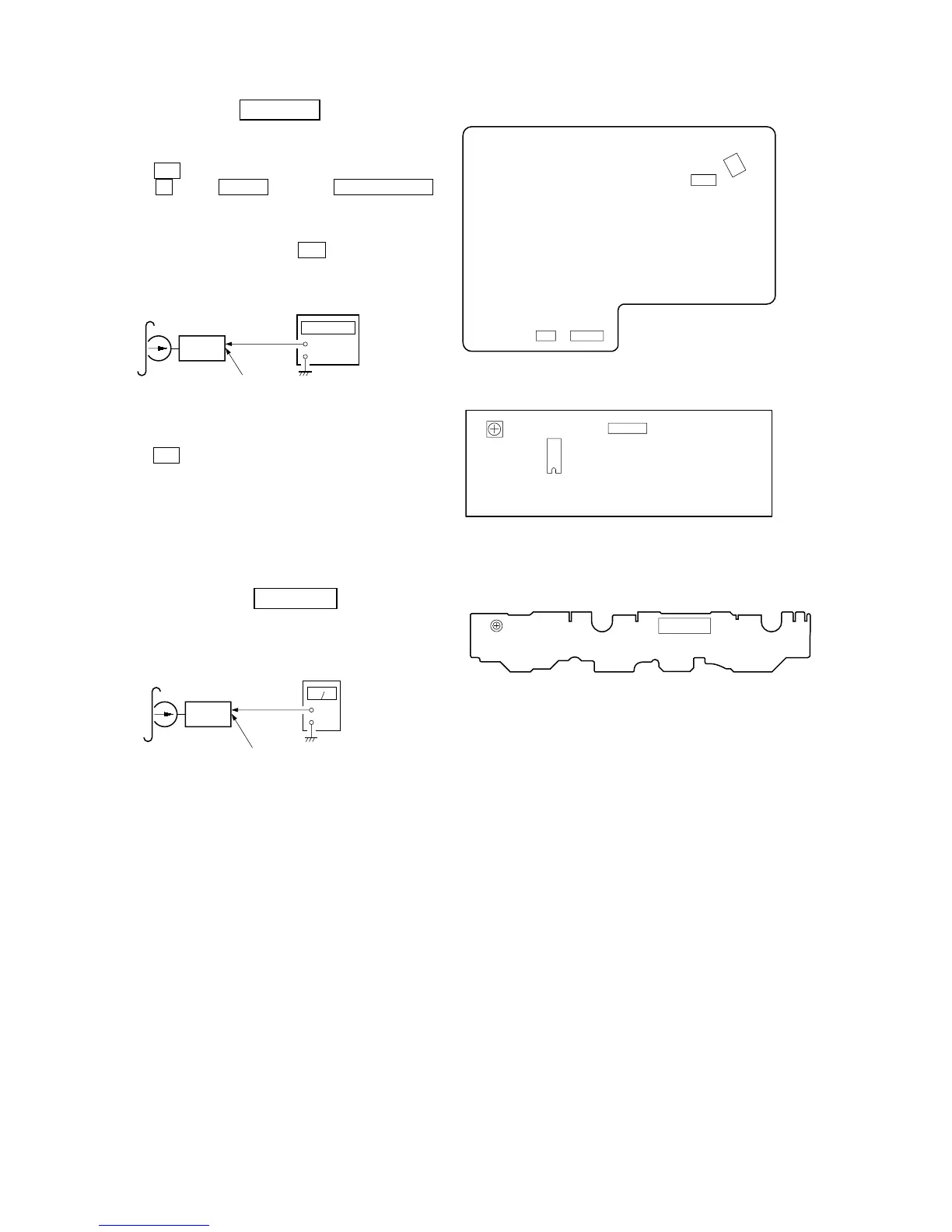
[MAIN BOARD] (Component Side)
[CASSETTE BOARD] (Component Side)
[LEAF SW BOARD] (Component Side)
Tape Speed Adjustment DECK A/B
Note: Start the Tape Speed adjustment as below after setting to the test
mode.
Procedure:
1. Press the @/1 button to turn ON the power.
2. Press the x button, ENTER button and TIMER SELECT
button simultaneously.
(The “VOLUME” on the fluorescent indicator tube will blink
while in the test mode.)
To exit from the test mode, press the @/1 button.
Mode: Playback
1. Insert the WS-48B into the deck.
2. Press the H button on the deck.
3. Adjust RV1002 on the LEAF SW board so that frequency
counter reads 3,000 ± 90 Hz.
Adjustment Location: LEAF SW board
Sample Value of Wow and filter
W, RMS (JIS) within 0.3%
(test tape: WS-48B)
Playback level Adjustment DECK A/B
Procedure:
Mode: Playback
Adjust DECK A/B: VR301 (R-CH) so the level meter reading
becomes the adjustment limits below.
Adjustment Level:
CN301 PB level: 155 to 275 mV (– 14 to – 9 dB) level difference
between the channels: within ± 0.5 dB
Adjustment Location: CASSETTE board
+
–
set
test tape
WS-48B
(3 kHz, 0 dB)
main board
CN301B (Pin qs : L-CH)


 To Next Page