– 4 –
CD-TEXT
This unit is provided with a simple CD-TEXT display function.
The CD-TEXT contents of 20 tracks are displayed on the fluorescent display tube.
Since the function is simple, some special characters may not be displayed, or may be displayed as other characters.
SECTION 1
SERVICING NOTE
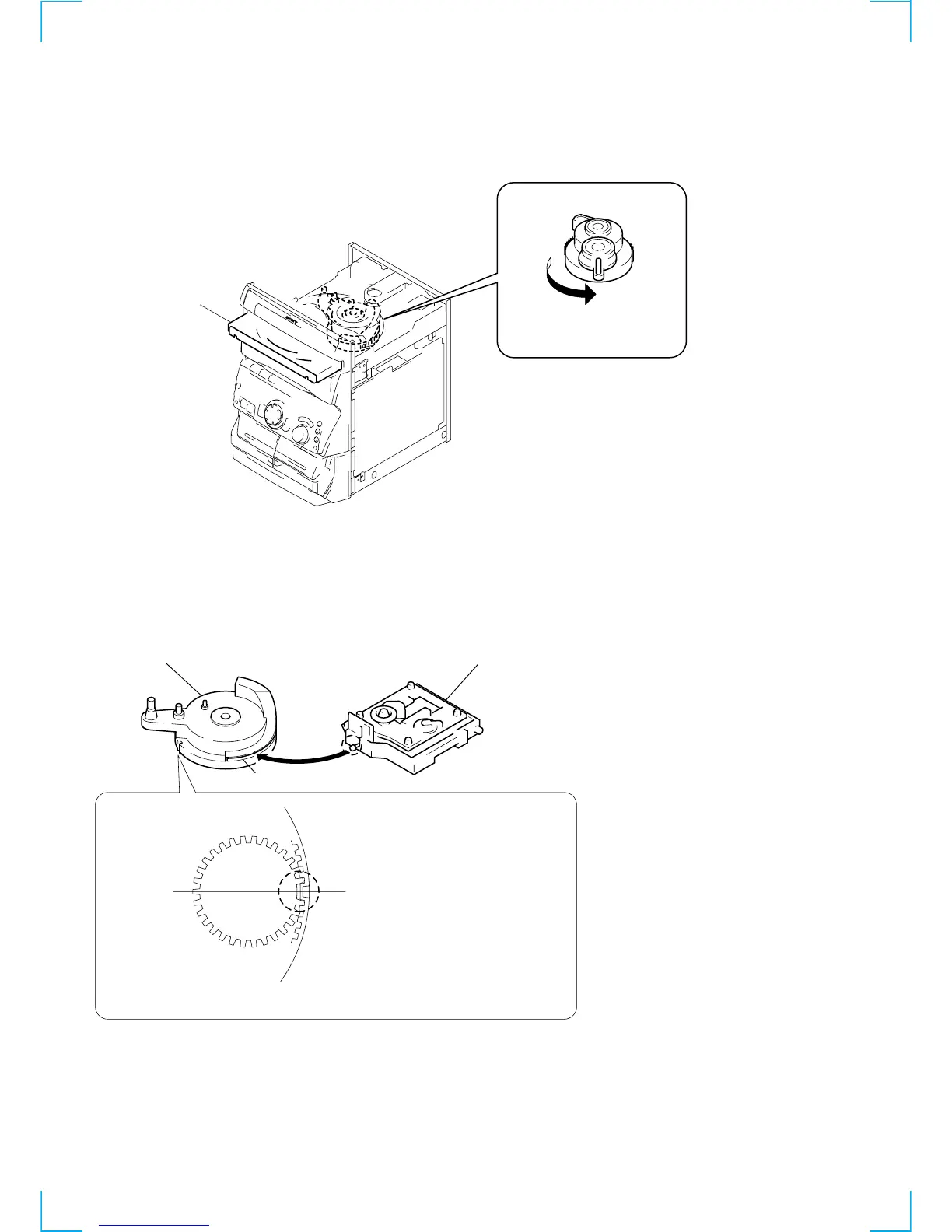
HOW TO OPEN THE DISC TRAY WHEN POWER SWITCH
TURNS OFF
NOTE FOR INSTALLATION (ROTARY ENCODER)
3
Pull-out the disc tray.
1
Remove the Case.
2
Turn the cam to the direction
of arrow.
BU cam
Groove
Section A
Note:When attaching the Base unit, Insert the
section A into the groove of BU cam.
Note:When attaching the BU cam,
engage the Rotary encoder
switch as shown in the figure.


 To Next Page