24
Status Display
Status Display
The CCU system status can be monitored using a picture
monitor connected to the PIX output.
For information on monitoring and changing settings, see
“Setup Menu” on page 29.
Displaying the Status Screen
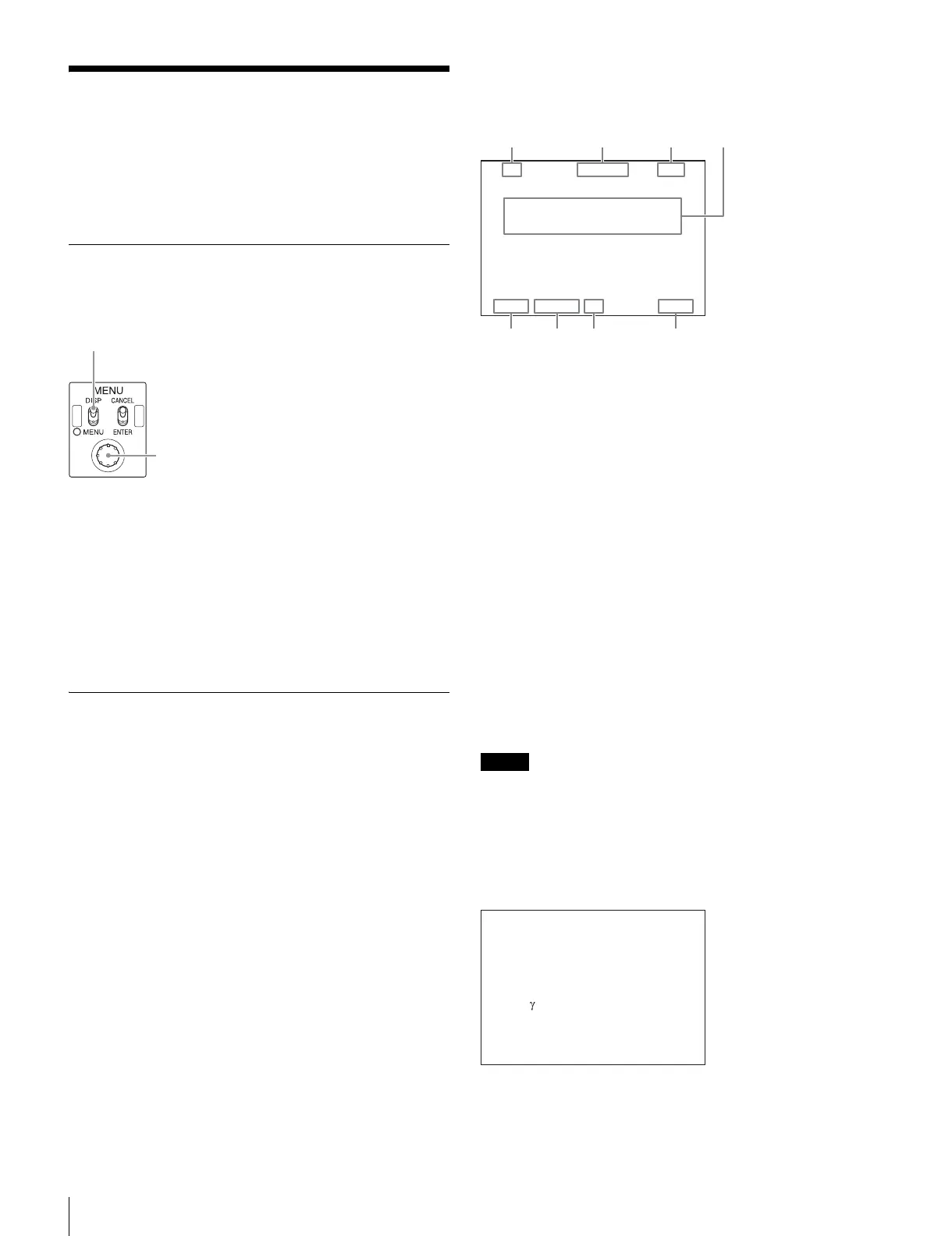
The status screen is controlled using the knob and levers in
the MENU control block on the front panel.
To display the status screen
Set the DISP/MENU lever to the DISP position. The most
recently viewed status screen page is displayed (when first
powered on, the camera settings page is displayed).
Turning the CONTROL knob changes the displayed page.
To exit the status screen display
In status screen display mode, set the DISP/MENU lever to
the DISP position.
Status Display Screen
The following information is displayed on the status display
screen.
• Camera settings
•System status
• CCU hardware diagnostics
• Camera system diagnostics
• Network diagnostics
• CCU AT board diagnostics
• CCU AVP board diagnostics
• CCU DTX board diagnostics
• Status of the boards inserted in Slot1 to 6
• CCU SDP board diagnostics
• Camera hardware diagnostics
• ROM version information for major components
Camera settings
Page 1
a Master gain value
Video output signal gain (dB units)
b Shutter speed/Clear scan frequency
Shutter speed value. When ECS is on, the clear scan
frequency is displayed.
c Shutter/ECS
Shutter/ECS on/off indicator
d Camera auto control information area
Top: Displays the Auto Setup category and execution status
Bottom: Displays the execution item
e ND filter
Current ND filter selection
f F-stop value
Lens F-stop value (iris value)
g EX (lens extender)
Lens extender indicator
h CC filter
Current CC filter selection
Notes
• Items that are turned off using the <DISPLAY> page
settings of the CCU CONFIGURATION menu are not
displayed.
• A “-” mark is displayed for each item when a camera is not
connected.
Page 2
WHT: White balance R/G/B value
BLK: Black balance R/G/B/Master value
BLK γ : Black gamma value
DISP/MENU lever and indicator
CONTROL knob
6
dB
1/2000 OFF
ND:1 F:4.7 EX CC:B
a
efg
bcd
h
6
dB
1/2000 OFF
WHT R: 0 BLK R: 0
G: 0 G: 0
B: 0 B: 0
M: 0
BLK FLR R: 0
: 0 G: 0
DTL B: 0
: 0 M: 0
ND:1 F:4.7 EX CC: A



 To Next Page