29
GB
Getting Started
5: Preparing the receiver
and the remote
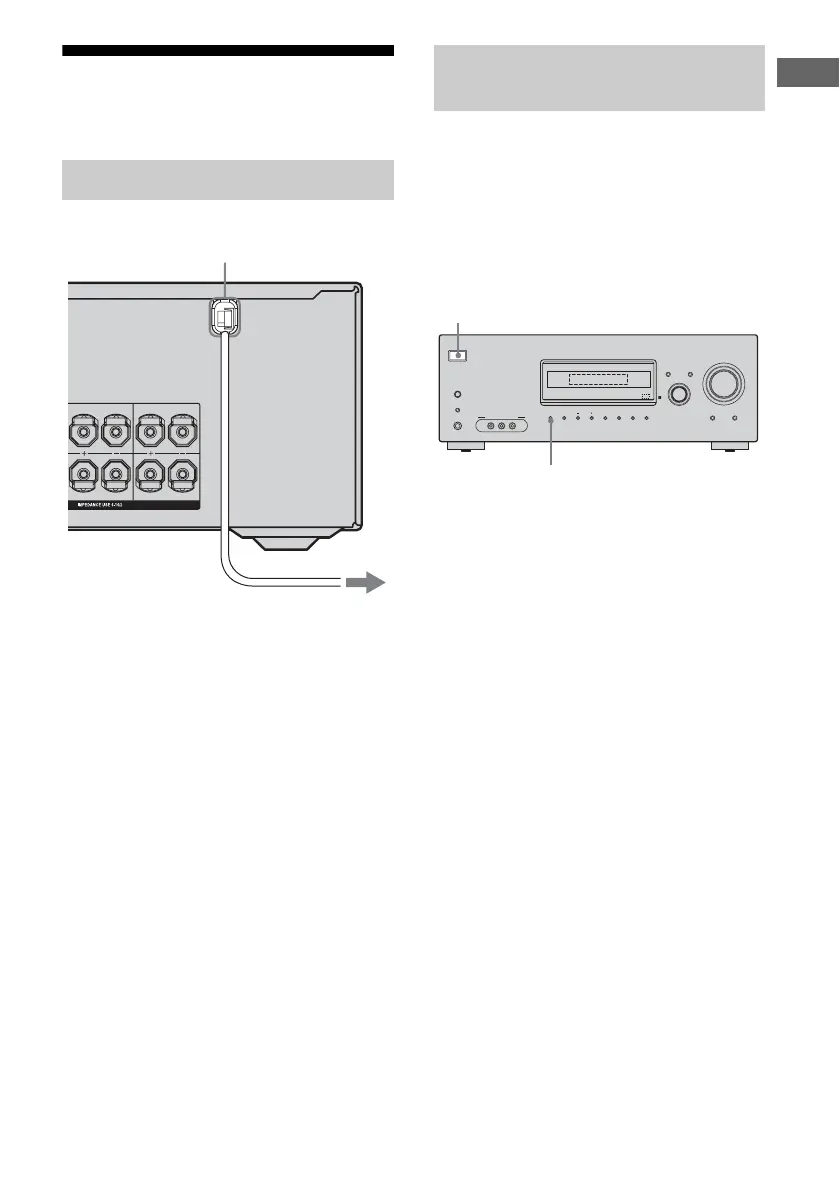
Connect the AC power cord to a wall outlet.
Before using the receiver for the first time,
initialize the receiver by performing the
following procedure. This procedure can also
be used to return settings you have made to
their factory defaults.
Be sure to use the buttons on the receiver for
this operation.
1 Press ?/1 to turn off the
receiver.
2 Hold down ?/1 for 5 seconds.
“PUSH” and “ENTER” appears on the
display alternately.
3 Press MEMORY/ENTER.
After “CLEARING” appears on the
display for a while, “CLEARED”
appears.
The following items are reset to their
factory settings.
• All settings in the LEVEL, TONE,
SUR, TUNER, AUDIO, VIDEO and
SYSTEM menus.
• The sound field memorized for each
input and preset station.
• All sound field parameters.
• All preset stations.
• All index names for inputs and preset
stations.
• MASTER VOLUME is set to “VOL
MIN”.
• Input is set to “DVD”.
Connecting the AC power cord
SURROUND
L
R
CENTER
SURROUND BACK
AC power cord
To the wall outlet
Performing initial setup
operations
?/1
AUTO CAL MIC
SPEAKERS
(OFF/A/B/A+B)
PHONES
VIDEO 3 IN/PORTABLE AV IN
VIDEO L AUDIO R
MEMORY/
ENTER
TUNING
MODE
TUNING 2CH A.F.D. MOVIE MUSIC
AUTO CAL MUTING
DISPLAY INPUT MODE
INPUT SELECTOR
MASTER VOLUME
1,2
3



 To Next Page