44
GB
Setting the subwoofer level
(SW LEVEL)
You can use the SW LEVEL menu to adjust the
level of the subwoofer.
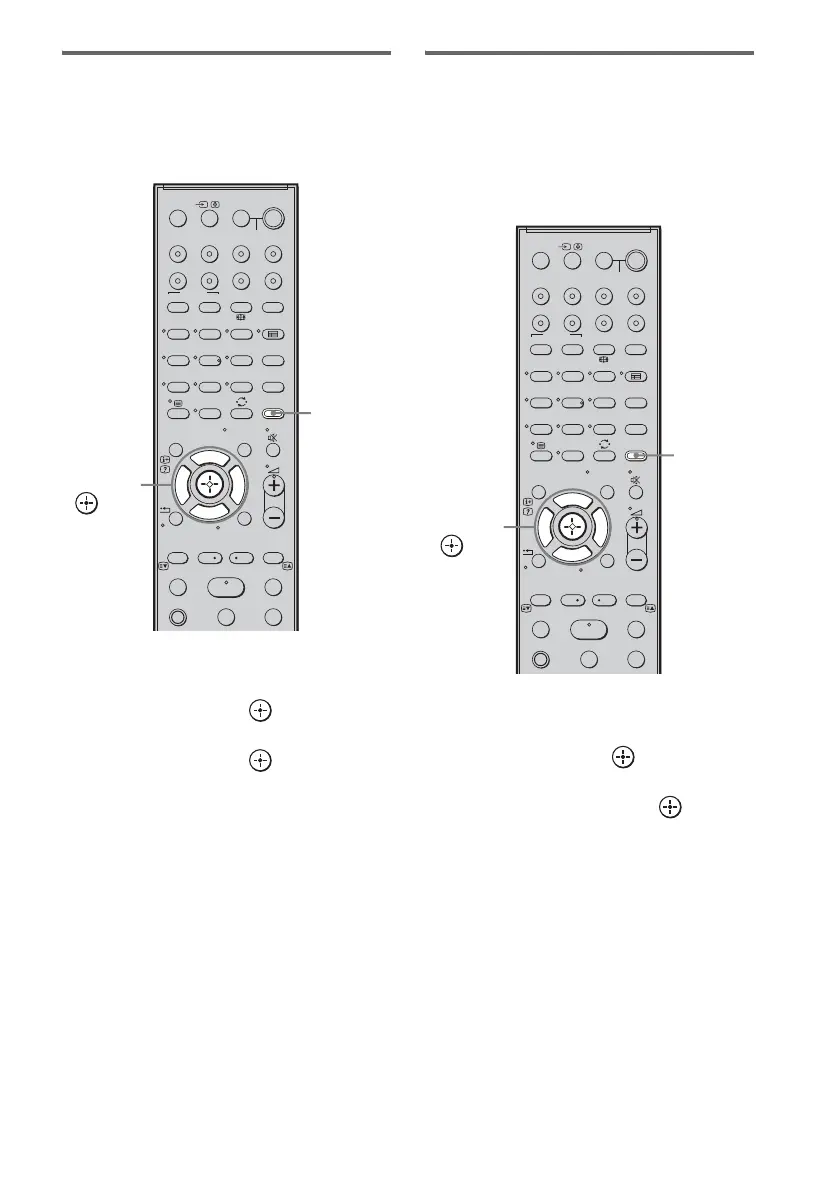
1 Press AMP MENU.
2 Press x/X repeatedly until “LEVEL”
appears, then press or c.
3 Press x/X repeatedly until “SW LEVEL”
appears, then press or c.
4 Press x/X to adjust the subwoofer
level.
Default setting: 0 (dB)
You can adjust from –6 (dB) to +6 (dB) in
1 dB steps.
5 Press AMP MENU.
The AMP menu turns off.
Enjoying Dolby Digital sound
at low volume (AUDIO DRC)
Narrows the dynamic range of the sound track.
Useful for enjoying movies at low volume.
AUDIO DRC only applies to Dolby Digital
sources.
1 Press AMP MENU.
2 Press x/X repeatedly until “LEVEL”
appears, then press or c.
3 Press x/X repeatedly until “AUDIO
DRC” appears, then press or c.
4 Press x/X to select the setting.
• MAX: Compresses dynamic range fully.
• STD: Reproduces the sound track with
the kind of dynamic range that the
recording engineer intended.
• OFF: No compression of dynamic range.
5 Press AMP MENU.
The AMP menu turns off.
SYSTEM STANDBY
MENU/HOME
TOOLS/
OPTIONS
TV VOL
MASTER VOL
123
46
78
0
ENTER
9
THEATRE
TV
?/1
AV
?/1
TV BD DVD
DIGITAL1 DIGITAL2 TUNER/BAND DMPORT
SAT/CATV
TOP MENU
MENU
BD/DVD
RETURN/EXIT
TV
TUNING
-
TUNING
+
F1 F2
AMP MENU
CLEAR
DISPLAY
NIGHT
MODE
SOUND
FIELD
AUDIO
ANALOGDIGITAL
?/1
TV CH
-
PRESET
-
TV CH
+
PRESET +
F
Gg
f
.
mM
Xx
<
<
>
5
SYSTEM STANDBY
MENU/HOME
TOOLS/
OPTIONS
N
AMP
MENU
C, X, x, c,
SYSTEM STANDBY
MENU/HOME
TOOLS/
OPTIONS
TV VOL
MASTER VOL
123
46
78
0
ENTER
9
THEATRE
TV
?/1
AV
?/1
TV BD DVD
DIGITAL1 DIGITAL2 TUNER/BAND DMPORT
SAT/CATV
TOP MENU
MENU
BD/DVD
RETURN/EXIT
TV
TUNING
-
TUNING
+
F1 F2
AMP MENU
CLEAR
DISPLAY
NIGHT
MODE
SOUND
FIELD
AUDIO
ANALOGDIGITAL
?/1
TV CH
-
PRESET
-
TV CH
+
PRESET +
F
Gg
f
.
mM
Xx
<
<
>
5
SYSTEM STANDBY
MENU/HOME
TOOLS/
OPTIONS
N
AMP
MENU
C, X, x, c,



 To Next Page