45
GB
Advanced Settings
Adjusting the bass and treble
level (BASS, TREBLE)
You can adjust the bass and treble level easily.
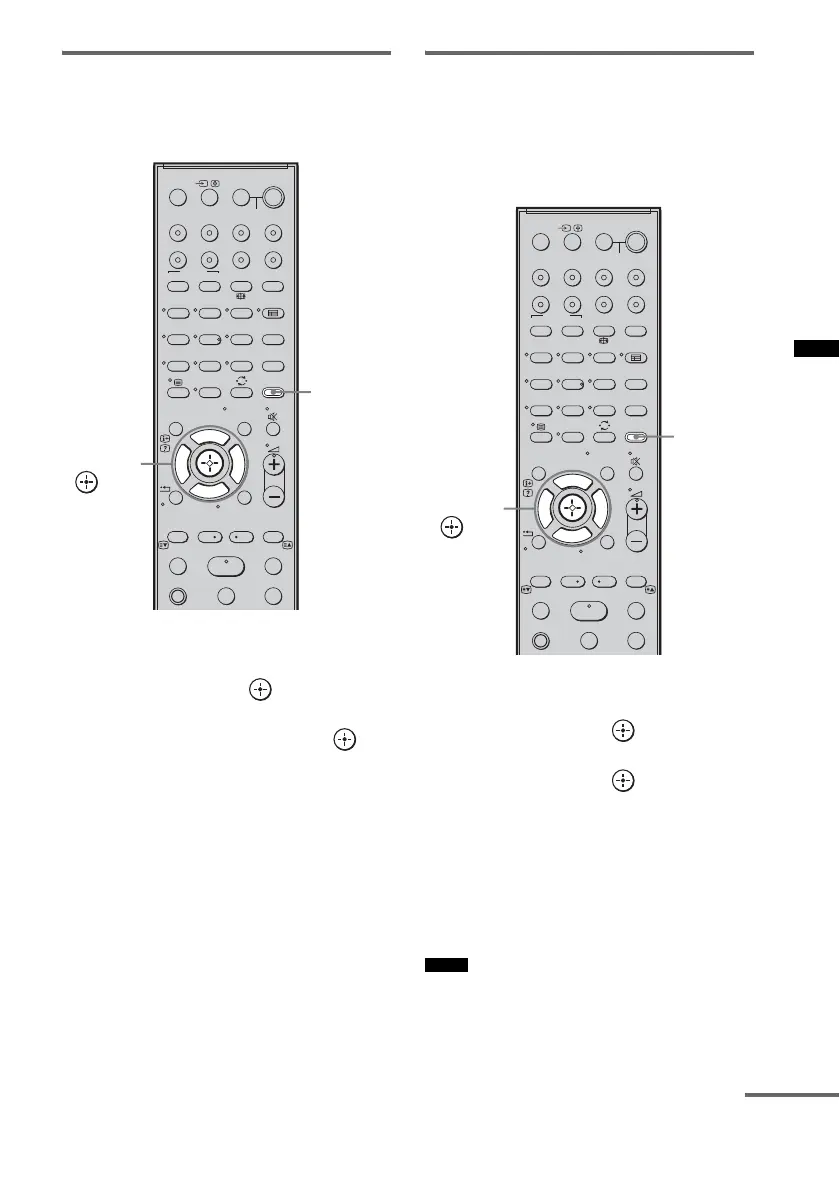
1 Press AMP MENU.
2 Press x/X repeatedly until “TONE”
appears, then press or c.
3 Press x/X repeatedly until “BASS” or
“TREBLE” appears, then press or
c.
4 Press x/X to adjust the level.
Default setting: 0 (dB)
You can adjust from –6 (dB) to +6 (dB) in
1 dB steps.
5 Press AMP MENU.
The AMP menu turns off.
Adjusting the delay between
the sound and the image (A/V
SYNC)
You can delay the sound using this function
when the image is behind the sound.
1 Press AMP MENU.
2 Press X/x repeatedly until “AUDIO”
appears, then press or c.
3 Press X/x repeatedly until “A/V SYNC”
appears, then press or c.
4 Press X/x to select the setting.
Default setting: 0 ms
You can adjust from 0 ms to 200 ms in 10
ms steps.
5 Press AMP MENU.
The AMP menu turns off.
• You may not be able to adjust the delay between
sound and image perfectly using this function.
• This function is useful only for Dolby Digital, DTS
and Linear PCM (2ch) input by coaxial (audio),
optical (audio) or HDMI.
SYSTEM STANDBY
MENU/HOME
TOOLS/
OPTIONS
TV VOL
MASTER VOL
123
46
78
0
ENTER
9
THEATRE
TV
?/1
AV
?/1
TV BD DVD
DIGITAL1 DIGITAL2 TUNER/BAND DMPORT
SAT/CATV
TOP MENU
MENU
BD/DVD
RETURN/EXIT
TV
TUNING
-
TUNING
+
F1 F2
AMP MENU
CLEAR
DISPLAY
NIGHT
MODE
SOUND
FIELD
AUDIO
ANALOGDIGITAL
?/1
TV CH
-
PRESET
-
TV CH
+
PRESET +
F
Gg
f
.
mM
Xx
<
<
>
5
SYSTEM STANDBY
MENU/HOME
TOOLS/
OPTIONS
N
AMP
MENU
C, X, x, c,
Notes
SYSTEM STANDBY
MENU/HOME
TOOLS/
OPTIONS
TV VOL
MASTER VOL
123
46
78
0
ENTER
9
THEATRE
TV
?/1
AV
?/1
TV BD DVD
DIGITAL1 DIGITAL2 TUNER/BAND DMPORT
SAT/CATV
TOP MENU
MENU
BD/DVD
RETURN/EXIT
TV
TUNING
-
TUNING
+
F1 F2
AMP MENU
CLEAR
DISPLAY
NIGHT
MODE
SOUND
FIELD
AUDIO
ANALOGDIGITAL
?/1
TV CH
-
PRESET
-
TV CH
+
PRESET +
F
Gg
f
.
mM
Xx
<
<
>
5
SYSTEM STANDBY
MENU/HOME
TOOLS/
OPTIONS
N
AMP
MENU
C, X, x, c,
continued



 To Next Page