12
GB
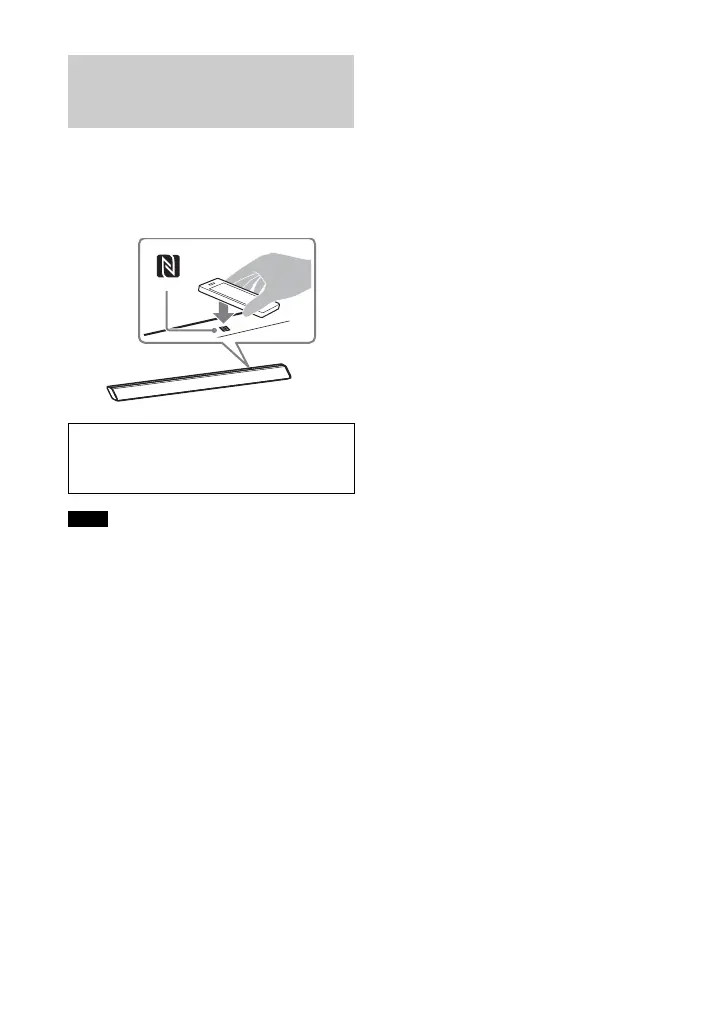
By holding an NFC-compatible
BLUETOOTH device near to the N mark on
the Bar Speaker, the system and
BLUETOOTH device will pair and make a
BLUETOOTH connection automatically.
• Depending on your device, you may need
to perform the following items on your
remote device in advance.
– Turn on the NFC function.
– Download the “NFC Easy Connect”
application from Google Play™ and start
the application. (The application may not
be available in some countries/regions.)
For details, refer to the operating
instructions of your device.
• This feature does not work with
BLUETOOTH-compatible receivers (such as
headphones). To listen to sound using a
BLUETOOTH-compatible receiver, see
“Listening to Sound by Transmitting to a
BLUETOOTH-compatible Receiver”
(page 13).
1 Touch the N mark of the Bar
Speaker with the BLUETOOTH
device.
2 Make sure that the indicator (blue)
of the Bar Speaker lights up. (This
indicates that a connection has
been established.)
3 Start playback of an audio source
on the BLUETOOTH device.
Connecting to a BLUETOOTH
Device by One-touch Function
(NFC)
Compatible devices
Smartphones, tablets, and music players with
the NFC function built-in (OS: Android™ 2.3.3
or later, excluding Android 3.x)
Notes



 To Next Page