8
GB
Playing Music/Photo from
a USB Device
You can play music/photo files stored on
a connected USB device.
For playable types of files, see “Playable
Types of Files” (page 60).
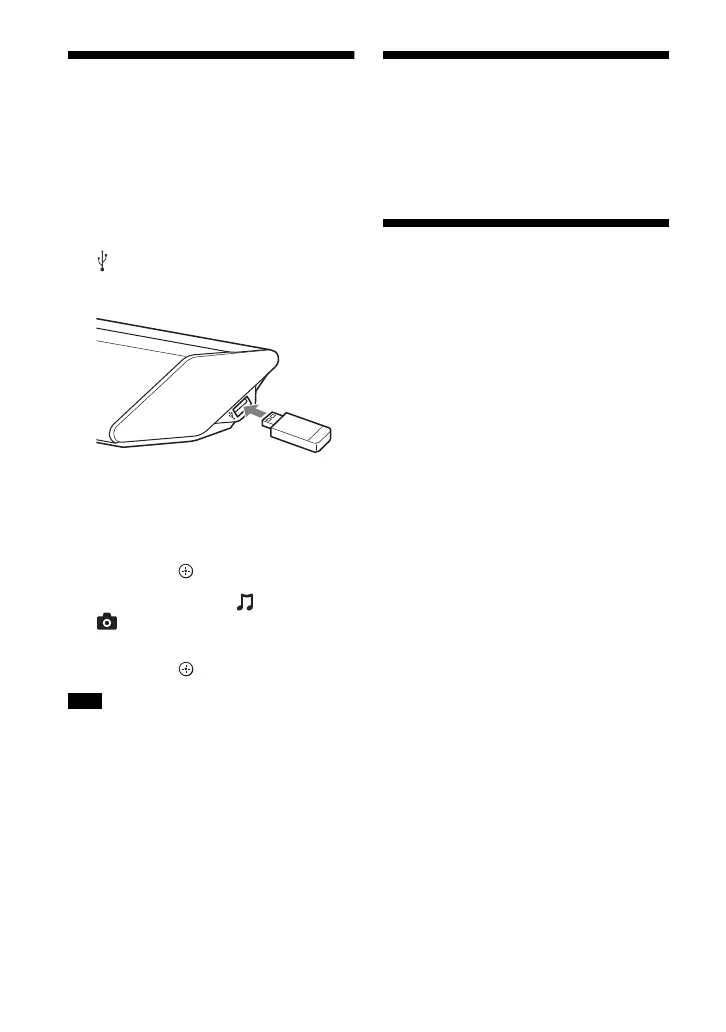
1 Connect the USB device to the
(USB) port.
Refer to the operating instructions of
the USB device before connecting.
2 Press HOME.
The home menu appears on the TV
screen.
3 Press /// to select [USB], and
then press .
4 Press / to select [Music] or
[Photo].
5 Select the desired content using /
// and .
• Do not remove the USB device during
operation. To avoid data corruption or
damage to the USB device, turn the system
off before connecting or removing the USB
device.
Listening to Music from a
BLUETOOTH Device
Refer to “BLUETOOTH Functions”
(page 11).
Playing Music/Photo from
Other Devices via the
Network Function
Refer to “Network Functions” (page 15).
Note



 To Next Page