38
GB
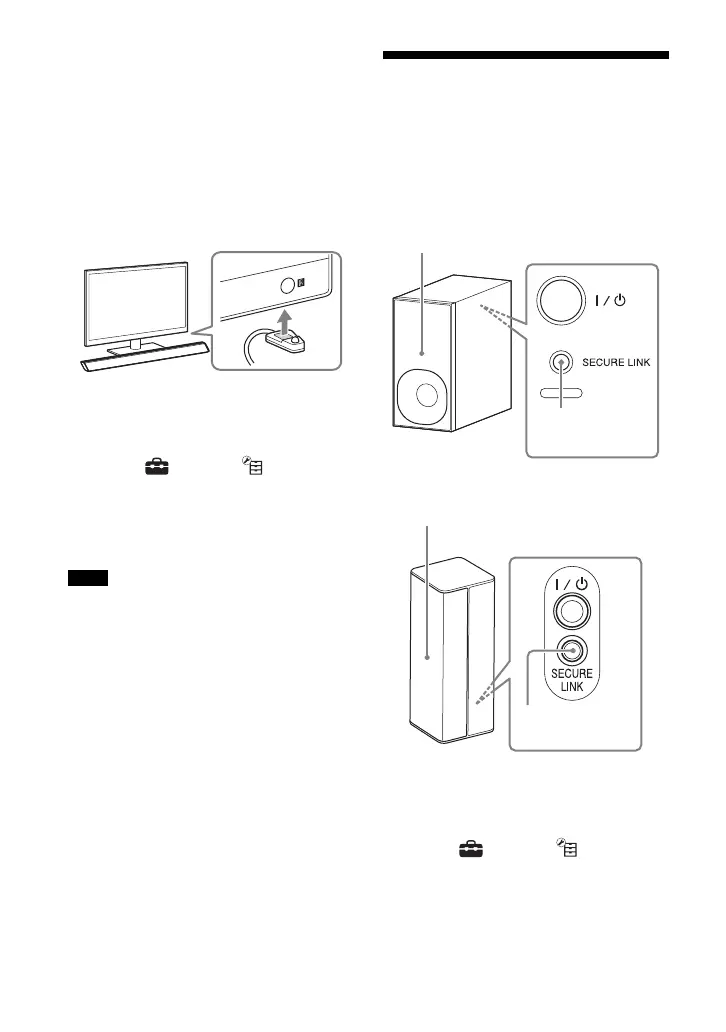
2 Place the IR blaster close to the
remote control sensor of the TV,
aiming the IR emitter of the IR
blaster at the remote control sensor
of the TV.
Make sure that the IR repeater
function is working before securing
the IR blaster on the Bar Speaker with
the double-faced adhesive tape
supplied.
3 Press HOME.
The home menu appears on the TV
screen.
4 Select [Setup] - [System
Settings] from the home menu.
5 Select [IR-Repeater].
6 Select [On].
• Refer to the operating instructions of your
TV for the location of the remote control
sensor.
• Connect the IR blaster before connecting
the AC power cord (mains lead) of the Bar
Speaker.
• Do not connect the IR blaster to a
headphone jack, etc. of the TV.
• Do not use the IR blaster for any other
purposes.
• On some TVs, this function may not work
correctly. In this case, place the Bar Speaker
slightly further away from the TV.
Further Setting for the
Wireless System
(Subwoofer/Surround
speakers)
For the subwoofer
For the surround speakers
1 Press HOME.
The home menu appears on the TV
screen.
2 Select [Setup] - [System
Settings] from the home menu.
3 Select [Wireless Sound Connection].
The [Wireless Sound Connection]
display appears.
Notes
SECURE LINK
On/standby indicator
SECURE LINK
On/standby indicator



 To Next Page