Component to be connected
•
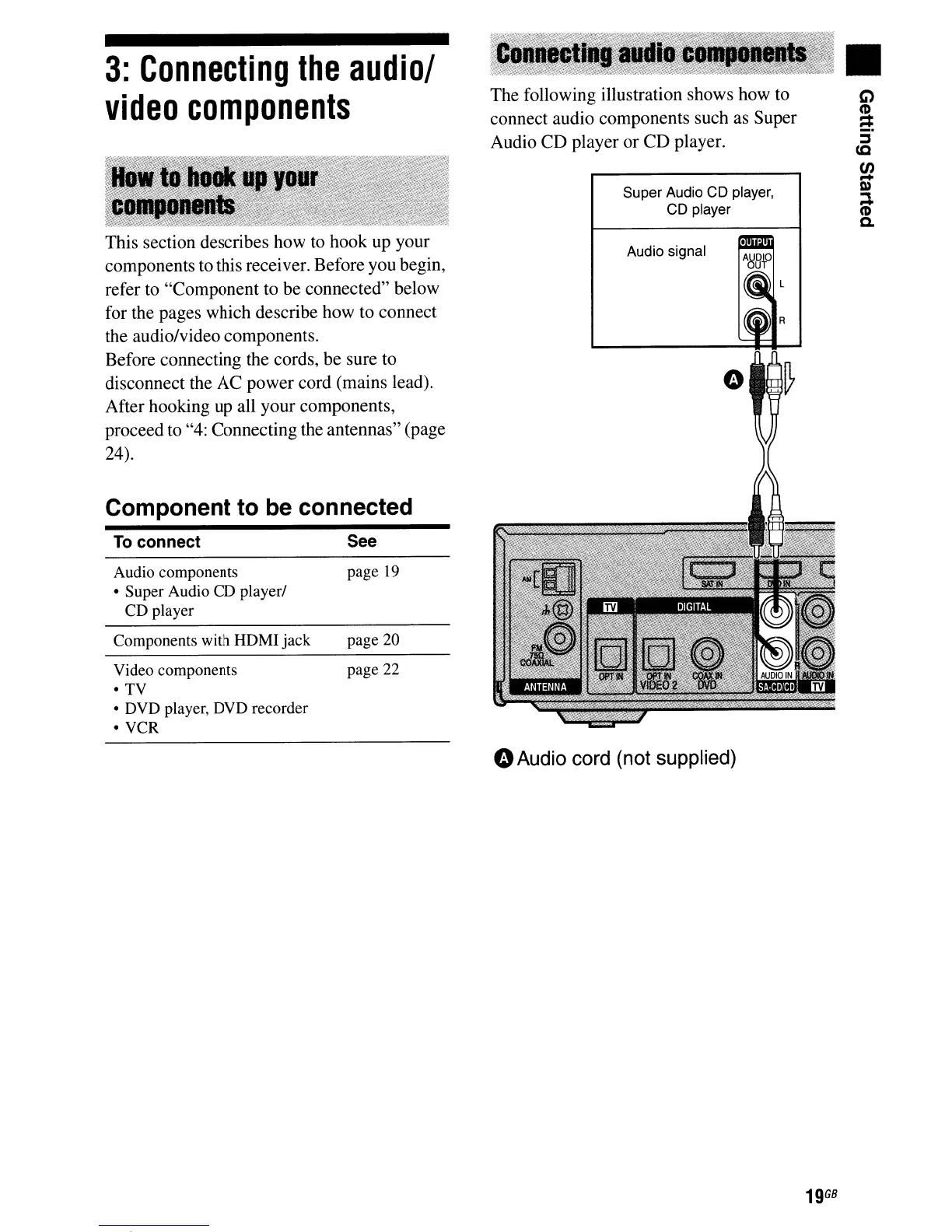
Audio signal
Super Audio CD player,
CD player
The following illustration shows how to
connect audio components such as Super
Audio CD player
or
CD
player.
See
page
19
page 22
page 20
To
connect
Audio components
• Super Audio CO player/
CD player
Components with HOMI jack
Video components
•
TV
• OVD player, DVD recorder
• VCR
3:
Connecting
the
audio/
video
components
This section describes how to hook up your
components to this receiver. Before you begin,
refer to "Component to be connected" below
for the pages which describe how to connect
the audio/video components.
Before connecting the cords, be sure to
disconnect the AC power cord (mains lead).
After hooking
up
all your components,
proceed to "4: Connecting the antennas" (page
24).
GAudio cord (not supplied)
19
GB



 To Next Page