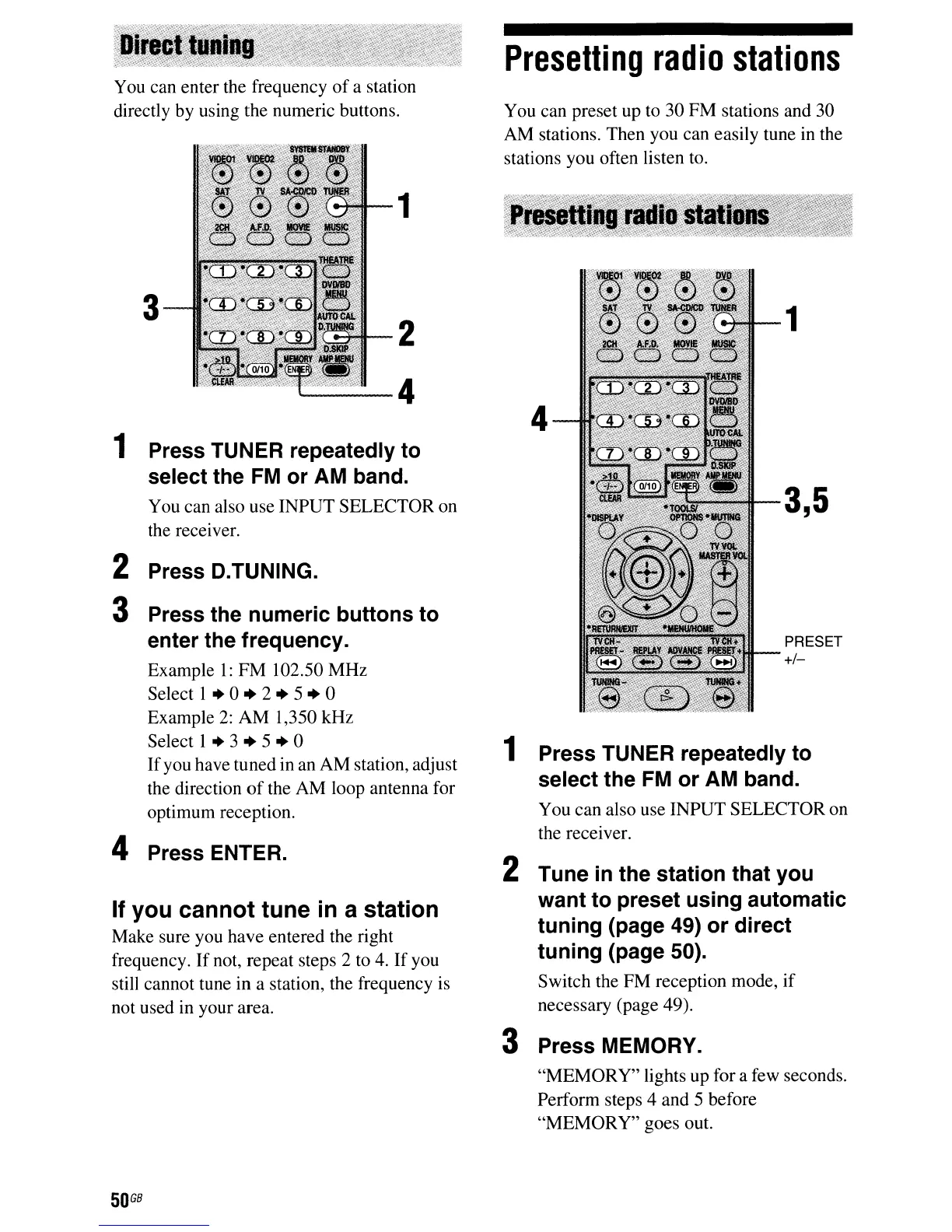
PRESET
+/-
3,5
1
4
You can preset up to 30 FM stations and 30
AM stations. Then you can easily tune in the
stations you often listen to.
Presetting
radio
stations
1 Press TUNER repeatedly to
select the FM or AM band.
You can also use INPUT SELECTOR on
the receiver.
2 Tune
in
the station that you
want to preset using automatic
tuning (page 49) or direct
tuning (page 50).
Switch the FM reception mode,
if
necessary (page 49).
3 Press MEMORY.
"MEMORY" lights up for a few seconds.
Perform steps 4 and 5 before
"MEMORY" goes out.
1
2
'-----4
3
You
can enter the frequency
of
a station
directly by using the numeric buttons.
1 Press TUNER repeatedly to
select the
FM
or AM band.
You can also use INPUT SELECTOR on
the receiver.
If
you cannot tune
in
a station
Make sure you have entered the right
frequency.
If
not, repeat steps 2 to
4.
If you
still cannot tune in a station, the frequency is
not used in your area.
2 Press D.TUNING.
3 Press the numeric buttons to
enter the frequency.
Example
l:
FM 102.50 MHz
Select 1
..
0
..
2
..
5
..
0
Example
2:
AM 1,350 kHz
Select 1
..
3
..
5
..
0
If
you have tuned in an AM station, adjust
the direction
of
the AM loop antenna for
optimum reception.
4 Press ENTER.
50
G8



 To Next Page