Tip
The
receiver employs a test tone with a frequency
centered at 800 Hz.
You can adjust the speaker levels and balance
while listening to the test tone from your
listening position.
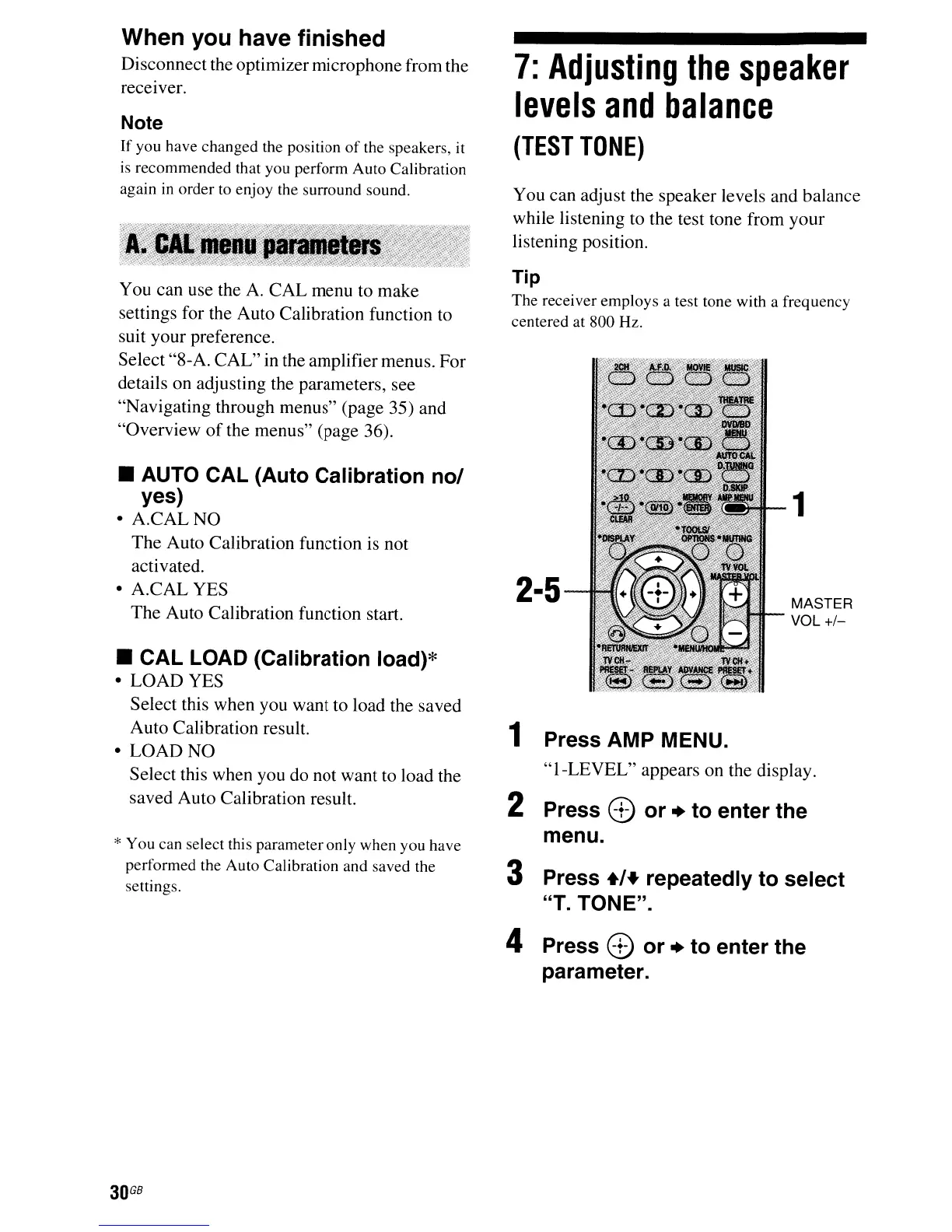
MASTER
VOL
+/-
1
2·5
7:
Adjusting
the
speaker
levels
and
balance
(TEST
TONE)
1 Press AMP MENU.
"I-LEVEL"
appears on the display.
2 Press 8
or
+ to enter the
menu.
3 Press +/+ repeatedly to select
"T. TONE".
You can use the
A.
CAL menu to make
settings for the Auto Calibration function to
suit your preference.
Select "8-A. CAL" in the amplifier menus. For
details on adjusting the parameters, see
"Navigating through menus" (page 35) and
"Overview
of
the menus" (page 36).
Note
If
you have changed the position
of
the speakers, it
is recommended that you perform Auto Calibration
again
in
order to enjoy the surround sound.
When you have finished
Disconnect the optimizer microphone from the
receIver.
• AUTO CAL (Auto Calibration no/
yes)
•
A.CALNO
The Auto Calibration function is not
activated.
• A.CAL YES
The Auto Calibration function start.
* You can select this parameter only when you have
performed the Auto Calibration and saved the
settings.
• CAL LOAD (Calibration load)*
• LOAD YES
Select this when you want to load the saved
Auto Calibration result.
• LOAD NO
Select this when you do not want to load the
saved Auto Calibration result.
4 Press 8 or + to enter the
parameter.
30
GB



 To Next Page