Be sure
to
use the buttons on the receiver for
this operation.
Resetting
sound
fields
to
the
initial
settings
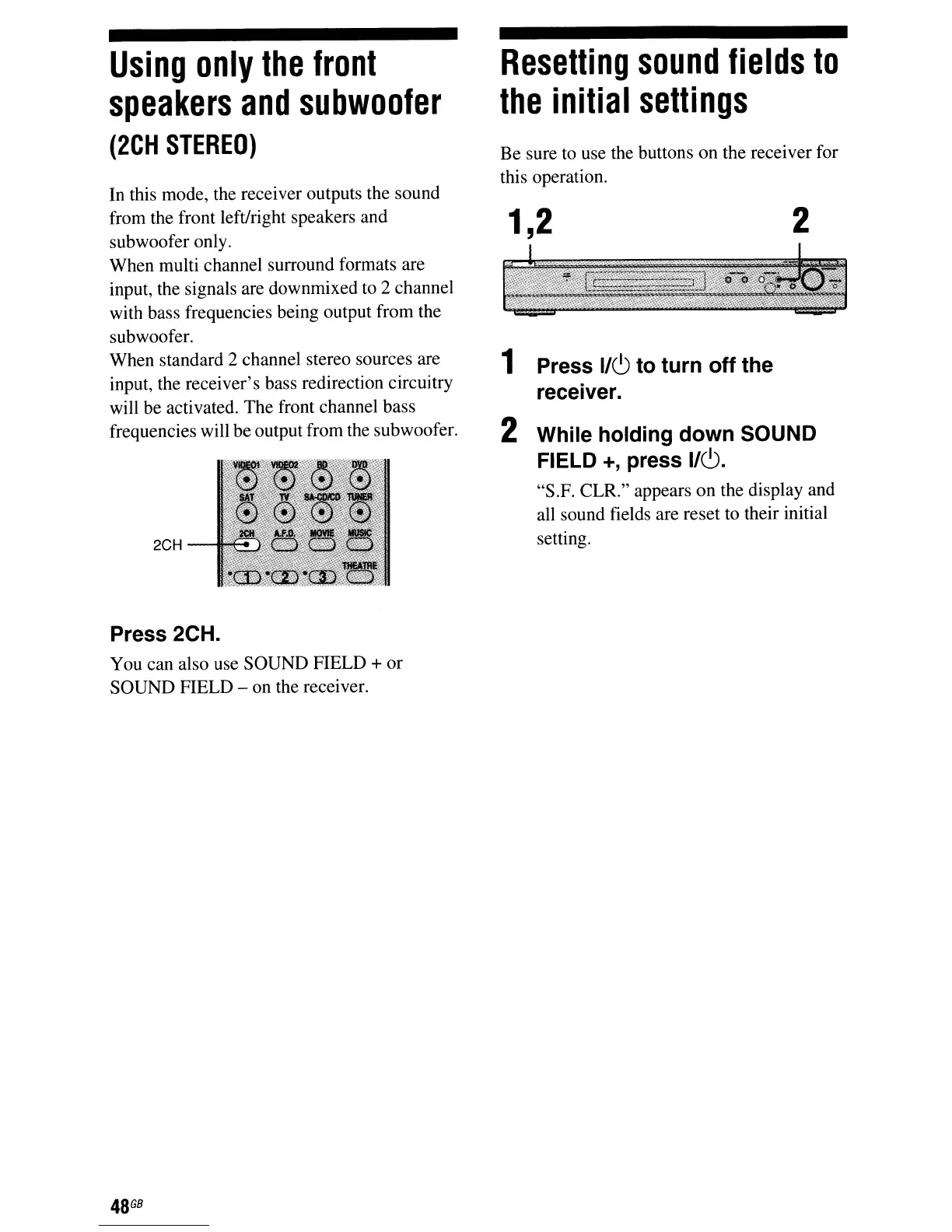
2
1,2
1
Press 1/6 to turn off the
receiver.
2 While holding down SOUND
FIELD
+,
press 1/6.
"S.F. CLR." appears on the display and
all sound fields are reset to their initial
setting.
Using
only
the
front
speakers
and
subwoofer
(2CH
STEREO)
2CH
In
this mode, the receiver outputs the sound
from the front left/right speakers and
subwoofer only.
When multi channel surround formats are
input, the signals are downmixed
to
2 channel
with bass frequencies being output from the
subwoofer.
When standard 2 channel stereo sources are
input, the receiver's bass redirection circuitry
will be activated. The front channel bass
frequencies will be output from the subwoofer.
Press 2CH.
You can also use SOUND FIELD + or
SOUND FIELD - on the receiver.
48
GB



 To Next Page