19
Recording/Playback
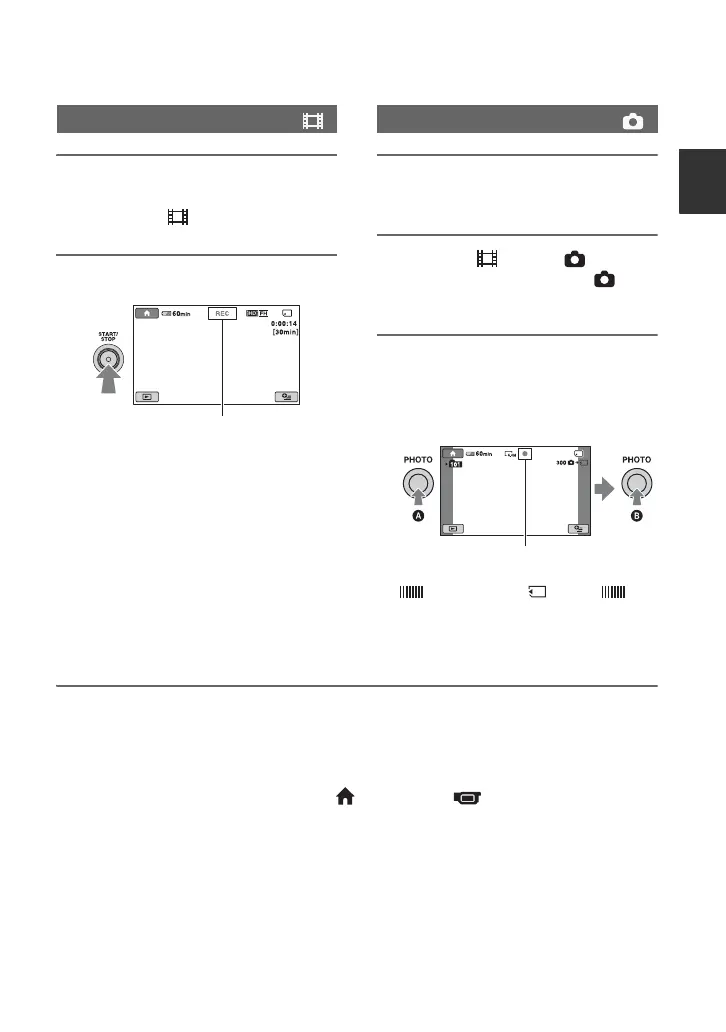
1 While pressing the green button,
slide the POWER switch to ON to
turn on the (Movie) lamp.
2 Press START/STOP B.
To stop recording, press START/STOP
B again.
1 While pressing the green button,
slide the POWER switch to ON.
2 Press the (Movie)/ (Still)
select button E until the
(Still) lamp lights up.
3 Press PHOTO C lightly to adjust
the focus A (a beep sounds),
then press it fully B (a shutter
click sounds).
appears beside . When
disappears, the image has been
recorded.
z Tips
• For the recordable time and the number of recordable images, see page 15 and 51.
• You can record still images during movie recording by pressing PHOTO C ([Dual Rec], p. 21).
• You can capture still images from recorded movies (p. 35).
• You can switch the shooting mode by touching (HOME) A t (CAMERA) t [MOVIE] or
[PHOTO].
Recording movies
[STBY] t [REC]
Recording still images
Flashing bLights up



 To Next Page
 Loading...










