27
Recording/Playback
b Notes
• Faces may not be detected depending on
recording conditions.
Example: People wearing glasses or hats, or
who do not face towards the camera.
z Tips
• You can display the [Face Index] screen by
touching (HOME) t (VIEW
IMAGES) t [ INDEX].
You can search for desired movies by date
efficiently.
b Notes
• You cannot use the Date Index function for still
images.
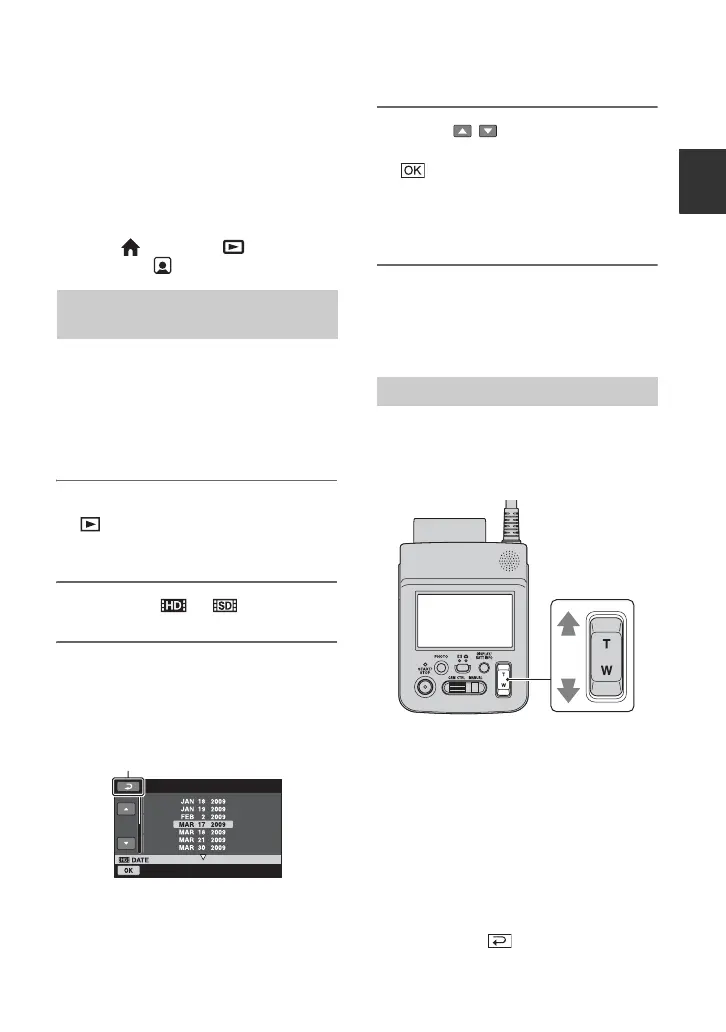
1 Turn on the camcorder, and touch
(VIEW IMAGES).
The VISUAL INDEX screen appears.
2 Touch the or tab.
3 Touch date on the screen.
The recording dates of movies are
displayed on the screen.
4 Touch / to select the date of
the desired movie, then touch
.
The movies of the selected date are
displayed on the VISUAL INDEX
screen.
z Tips
• On the [Film Roll Index]/[Face Index] screen,
you can use the Date Index function by
following the steps 3 to 4.
You can magnify still images from about
1.1 to 5 times the original size.
Magnification can be adjusted with the
power zoom lever.
1 Play back the still images you want to
magnify.
2 Magnify the still image with T
(Telephoto).
The screen is framed.
3 Touch the screen at the point you want
to display in the center of the displayed
frame.
4 Adjust the magnification with T
(Telephoto)/W (Wide angle).
To cancel, touch .
Searching for desired images by
date (Date Index)
Returns to the VISUAL INDEX
screen
Using PB zoom



 To Next Page
 Loading...










