45
Utilizing Media
• Do not attempt the following operations when
[Executing...] is on the screen:
– Operate the POWER switch or buttons
– Eject the “Memory Stick PRO Duo” media
• While [MEDIA FORMAT] is activated, do not
disconnect the AC Adaptor.
Repairing the image
database file
This function checks the management
information and the consistency of movies/
still images in the “Memory Stick PRO
Duo” media, and repairs any
inconsistencies found.
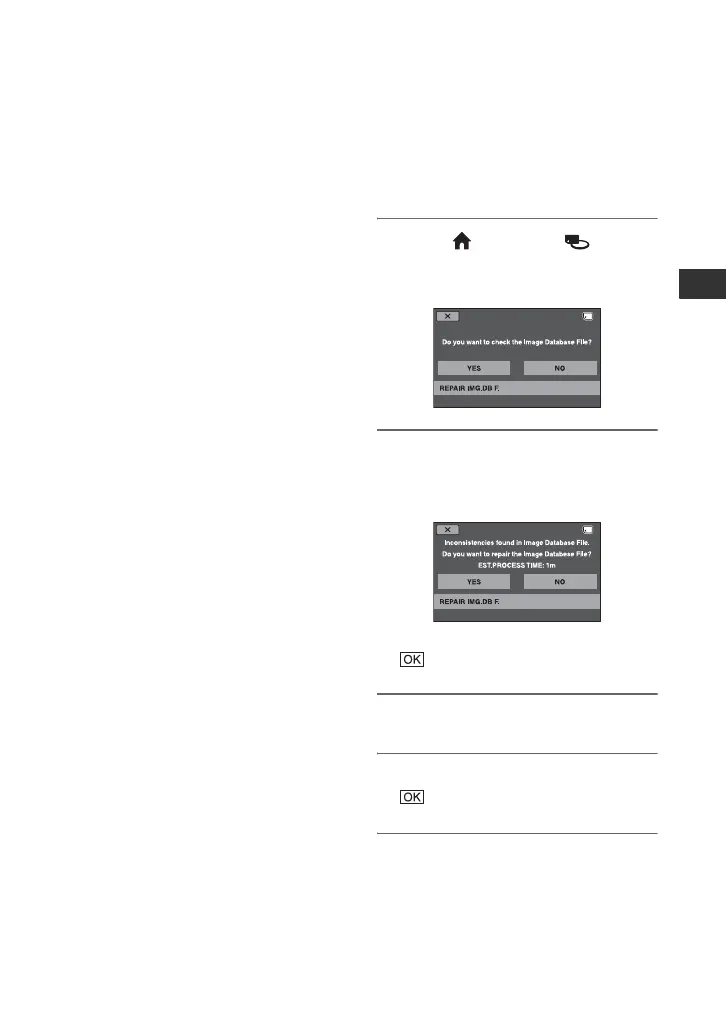
1 Touch (HOME) t
(MANAGE MEDIA) t [REPAIR
IMG.DB F.].
2 Touch [YES].
Your camcorder will check the
management file.
If no inconsistency was found, touch
to finish the operation.
3 Touch [YES].
4 After [Completed.] appears, touch
.
b Notes
• Do not apply mechanical shock or vibration to
your camcorder, and do not remove the AC
Adaptor or the battery pack, or eject “Memory
Stick PRO Duo” media from your camcorder
during the operation.



 To Next Page
 Loading...










