52
RESET
Assigns file numbers in sequence,
following the largest file number existing
on the current recording “Memory Stick
PRO Duo” media.
See page 48.
See page 48.
See page 49.
See page 49.
See page 50.
AE SHIFT
WB SHIFT (White
Balance Shift)
GUIDEFRAME
ZEBRA
DIAL SETTING
VIEW IMAGES SET
(Items to customize the display)
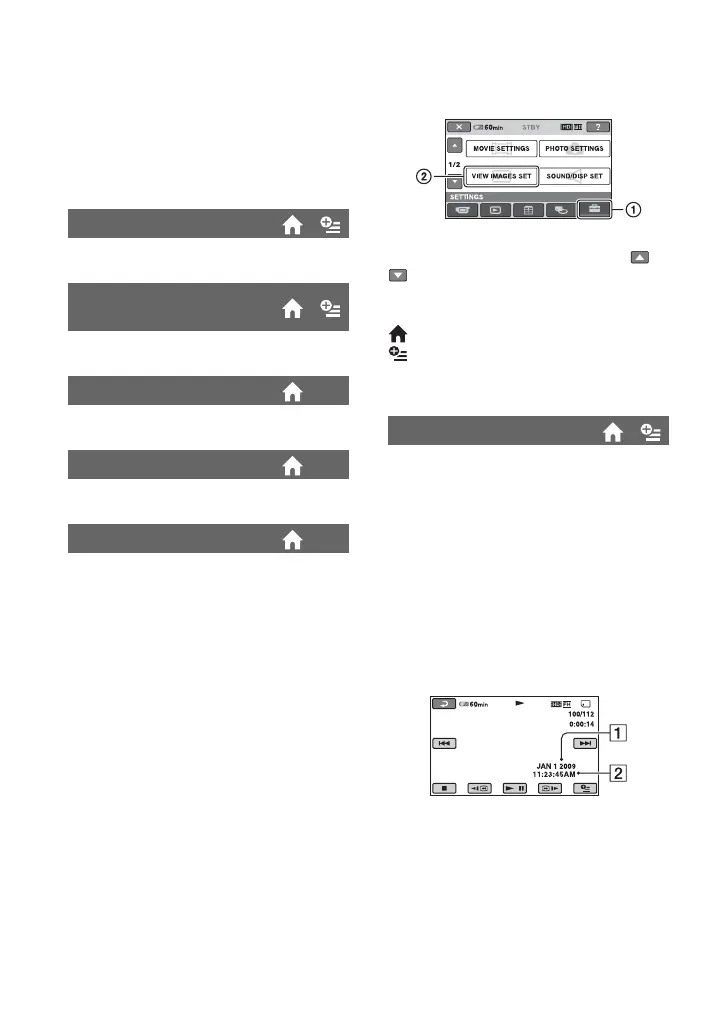
Touch 1, then 2.
If the item is not on the screen, touch /
to change the page.
How to set
(HOME MENU) t page 46
(OPTION MENU) t page 58
The default settings are marked with B.
During playback, displays the information
(data code) recorded automatically at the
time of recording.
B OFF
Data code is not displayed.
DATE/TIME
Displays the date and time.
CAMERA DATA (below)
Displays camera setting data.
DATE/TIME
ADate
BTime
DATA CODE



 To Next Page
 Loading...










