18
BAdvanced Operations
Moving Messages to a Different File —
Move Function
You can move recorded messages to a different file.
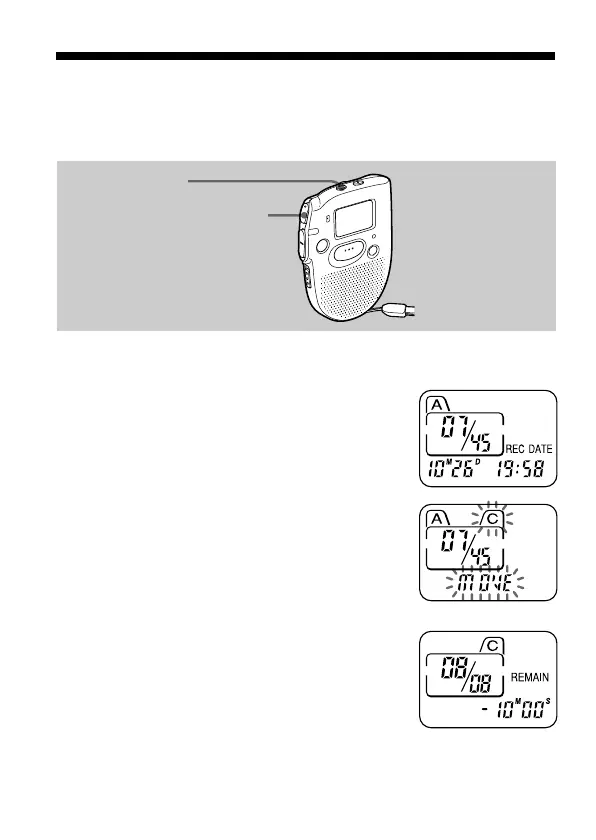
e.g. To move the seventh message in the file A to the file C
1 Play back the message you want to
move.
2 Press FILE during playback to select the
file you want to move the message to.
The file and “MOVE” will flash and the first
and last 5 seconds of the message will be
played back 10 times.
3 Press NxPLAY/STOP.
To cancel moving the message(s)
Press STOP before Step 3.
FILE
NxPLAY/STOP



 To Next Page