6
1
2
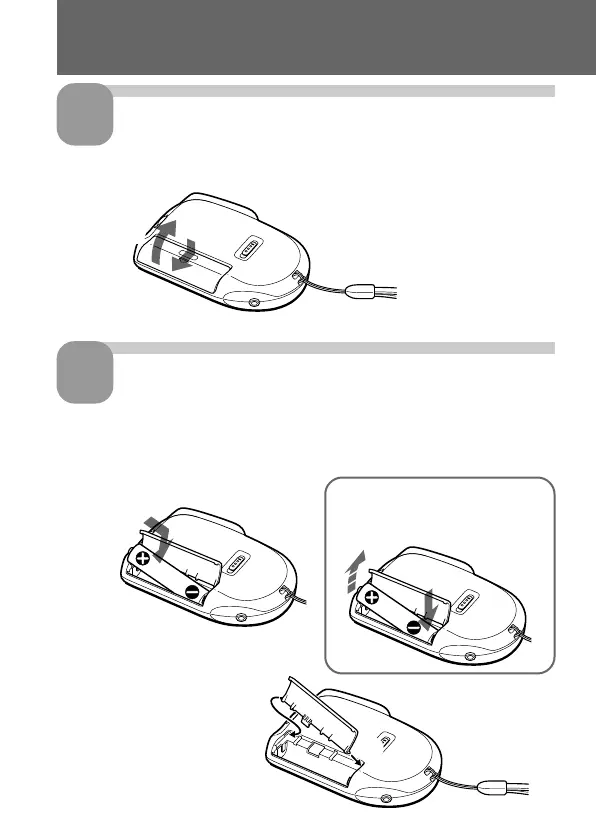
Slide and lift the battery
compartment lid.
Insert a LR03 (size AAA)
alkaline battery with correct
polarity, and close the lid.
If the battery compartment
lid is accidentally detached,
attach it as illustrated.
Step 1: Installing the Battery
1
2
1
2
To take out the battery
Take out the battery by pushing
the # side of it as illustrated.



 To Next Page