20
Adding a Recording to a Previously
Recorded Message
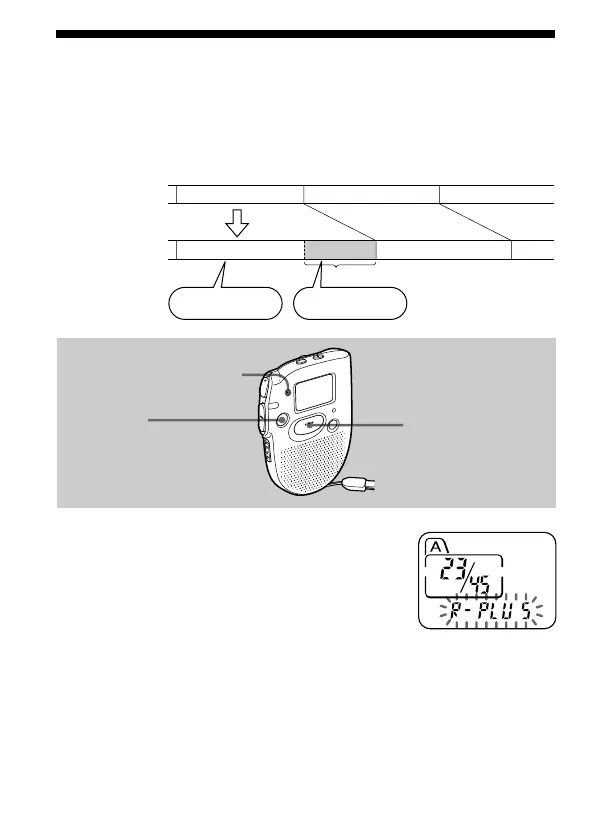
You can add a recording to the message being played back.
The added recording will be placed after the current message and counted
as a part of the message.
1 During playback, press REC
START/STOP for more than 1 second.
The OPR indicator lights in red and
“R-PLUS” flashes three times.
Speak into the built-in microphone.
The display will then change to the
remaining recording time.
2 Press REC START/STOP again to stop
the recording.
To stop recording
You can also stop recording by pressing STOP instead of REC START/
STOP.
STOP
REC
START/STOP
Built-in microphone
During playback
of Message 3
After adding
a recording
Message 3 Message 4
Message 3 Message 4
Meeting at 2 o’clock
on December 1.
at Conference
room A
Added recording



 To Next Page