23
Advanced Operations
• to play back at the same time every day
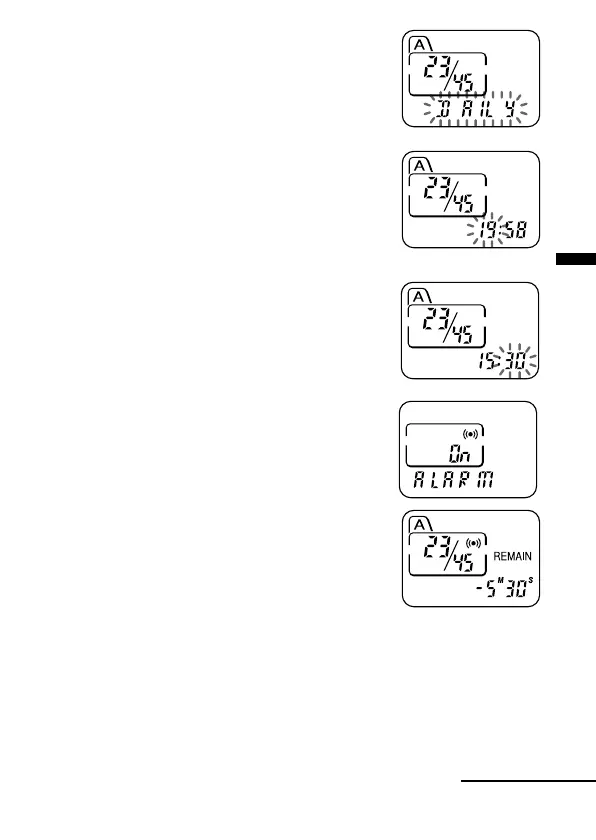
Press –. or >+ to select “DAILY”.
4 Press NxPLAY/STOP.
The hour digits will flash.
5 Set the alarm time.
1 Press –. or >+ to select the hour
digits and press NxPLAY/STOP.
The minute digits will flash.
2 Press –. or >+ to select the minute
digits and press NxPLAY/STOP.
“ALARM On” and “,” will be displayed to
indicate that the setting has been completed.
6 Press MENU to exit the menu mode.
“,” is displayed when the number of the message with alarm setting is
selected.
At the set time, the alarm will sound for about 10 seconds and the selected
message will be played back.
During playback, “ALARM” will flash in the display window.
Playback will stop at the end of the message.
Continued



 To Next Page