Using
The
Standby
Function
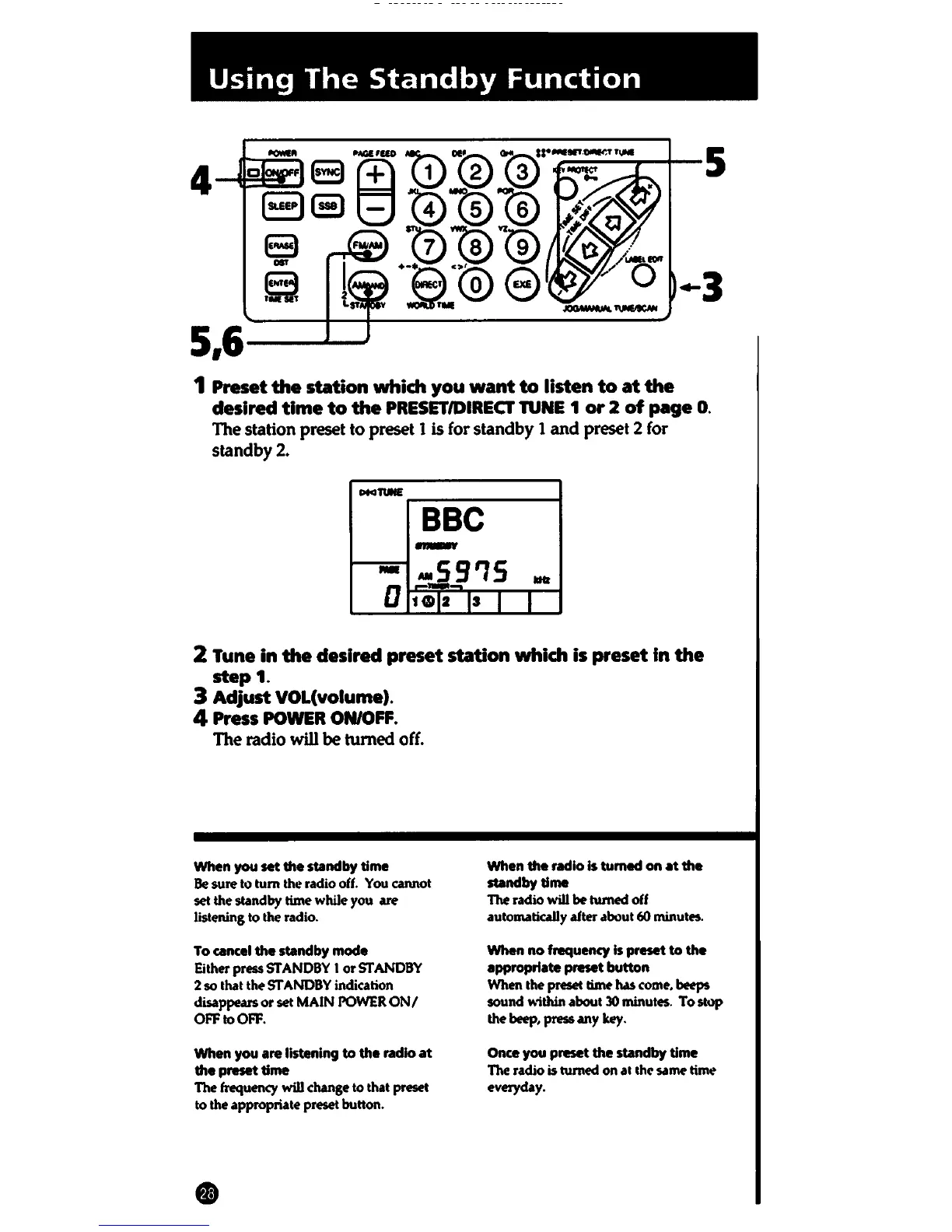
5,6---
1 Preset
the
station which you
want
to
listen
to
at
the
desired
time
to
the
PRESET/DIRECT
TUNE
1
or
2
of
page
0.
The station preset to preset 1 is for standby 1
and
preset 2 for
standby2.
Plcl'IUNE
BBC
-
-
-59'15
...
---
D
1Gl2
IS
I
I
2 Tune in
the
desired preset station which is preset
In
the
step
1.
3 Adjust VOL(volume).
4
Press
POWER
ON/OFF.
The radio
will
be
turned off.
When you
set
the
mnclby
time
Be
sure to
tum
the radio
off.
You
cannot
set the standby time while you
are
listening to the radio.
To
cancel
the
standby mode
Either press
STANDBY
I or
STANDBY
2 so that the
STANDBY
indication
disappears or set
MAIN
POWER
ON/
OFF
to
OFF.
When you are listening
to
the radio
at
the preset time
The frequency will change to that
preset
to the appropriate
preset
button.
When the radio Is tumad on
at
the
mnclbytlme
The radio will
be
turned off
automatically after about 60 minutes.
When
no
frequency
Is
preset
to
the
appropriate preset button
When the preset time has
come.
beeps
sound
within about
30
minutes.
To
stop
the
beep,
press
any
key.
Once you preset the
mndby
time
The radio is turned on al the same time
everyday.















 To Next Page